Barrax, home

See the platform

One model of your estate, and everything you can do with it.

Barrax joins the data you already hold into one model, from customer journeys down to power. Then it scores it, tests it and plans the fixes, and every number shows its working.

The Stack: every layer of a demonstration estate, from places at the top to power at the bottom
  1. 01Data
  2. 02Twin
  3. 03Data centre
  4. 04Journeys
  5. 05Assessment
  6. 06Design and test
  7. 07Remediate
  8. 08Impact API

01 Data

Start from the data you already hold.

Your teams’ extracts and the systems they come from, plus more than 90 public sources we bring, joined into one model. Add as many of your own as you need.
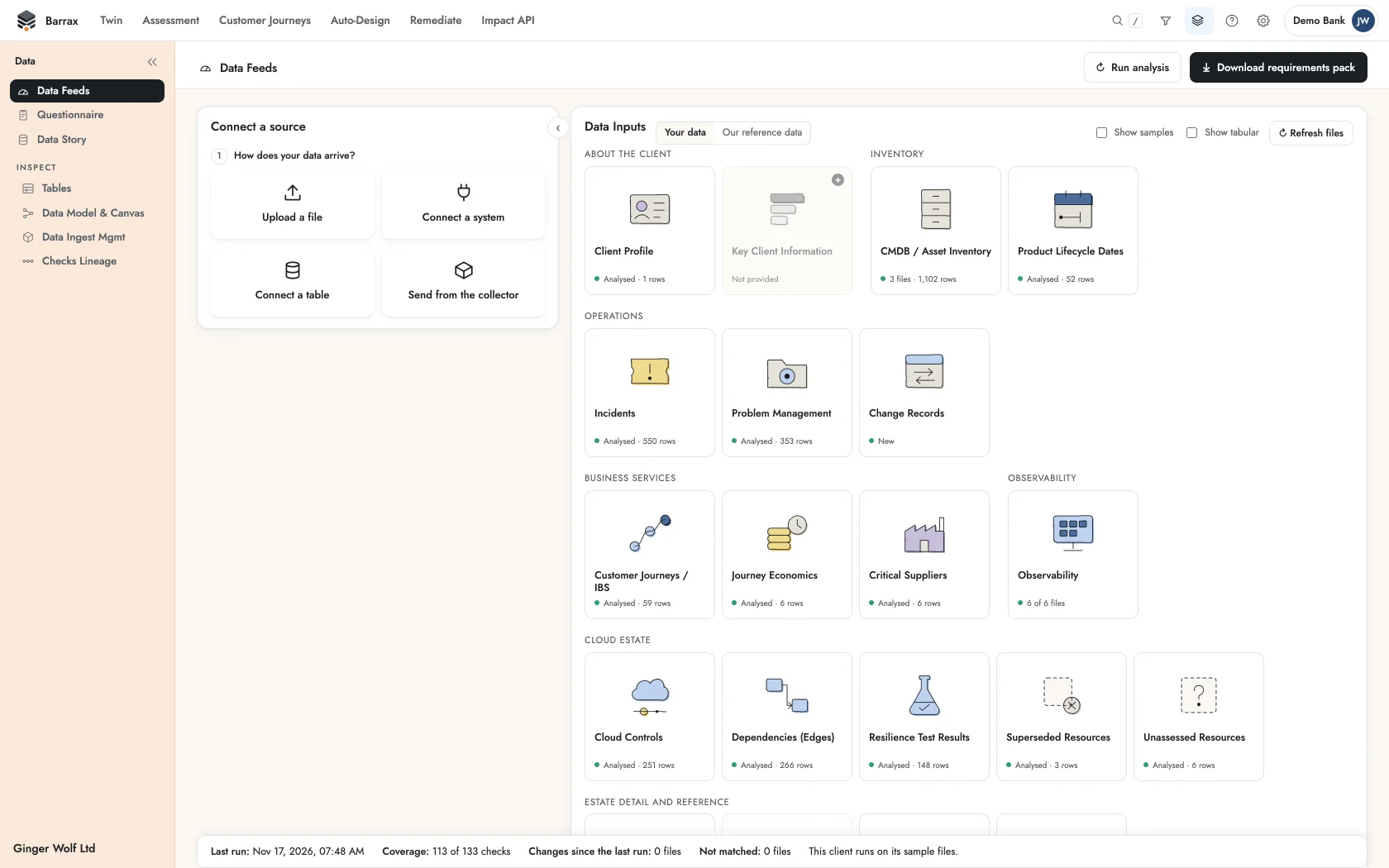
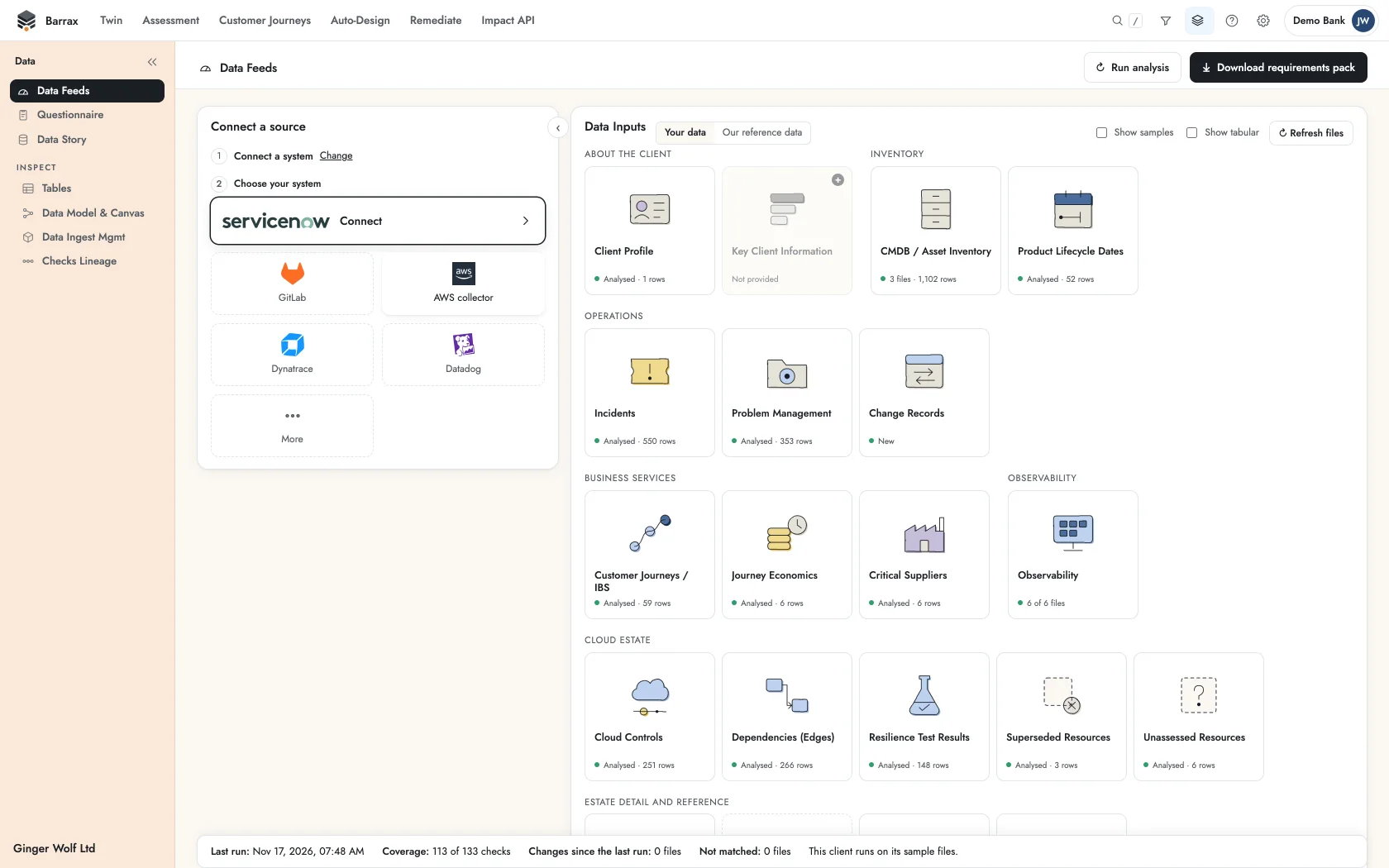
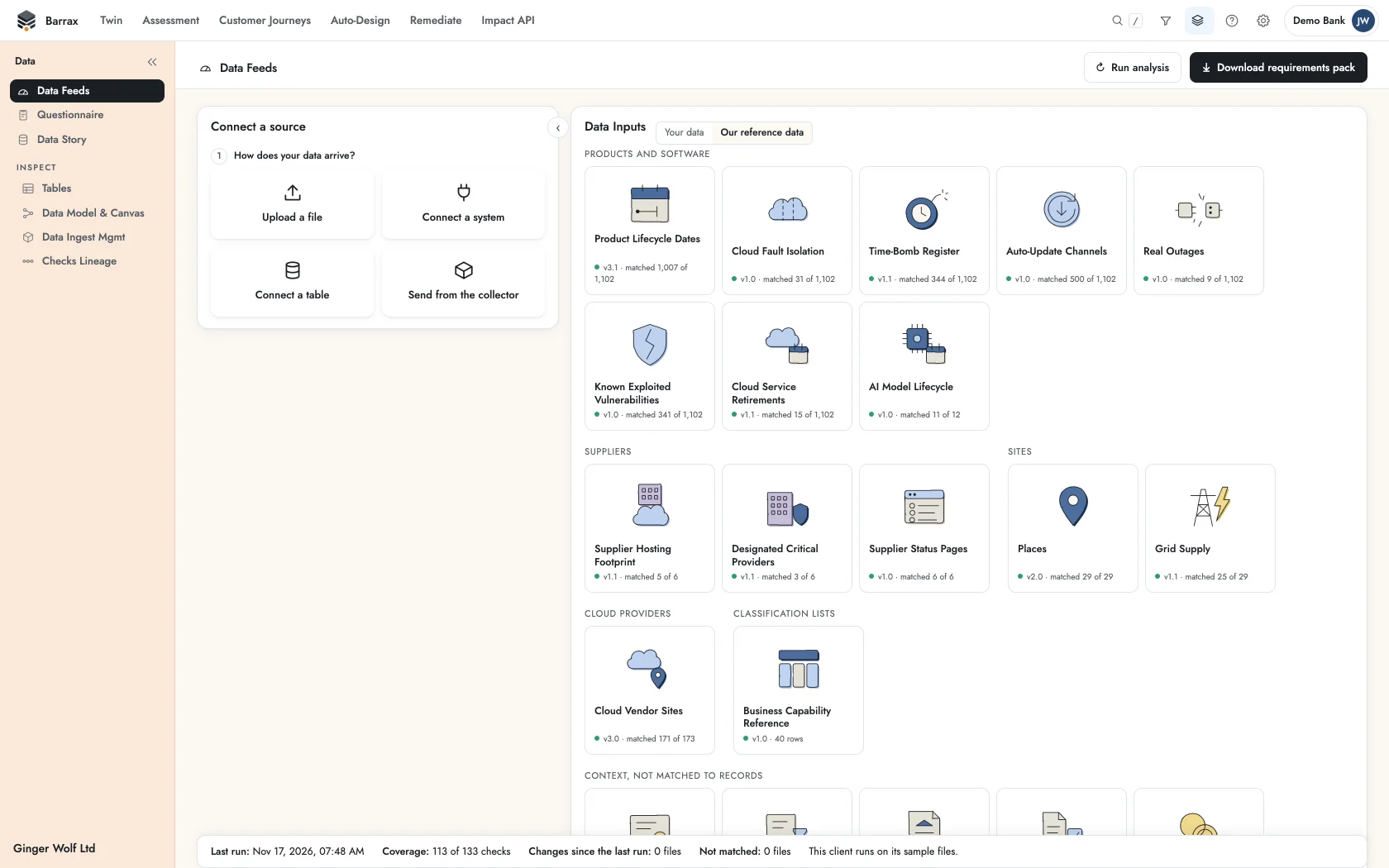
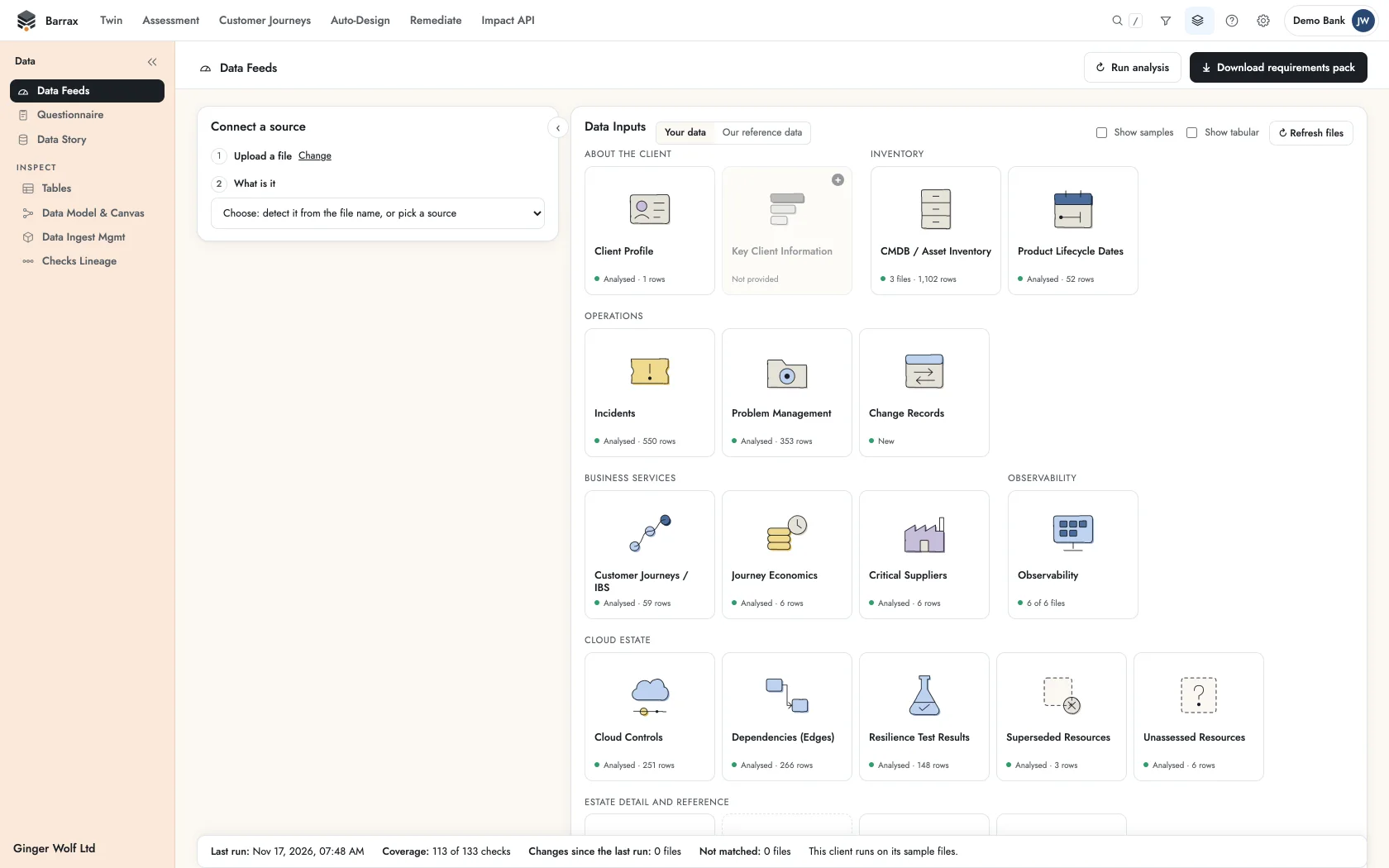
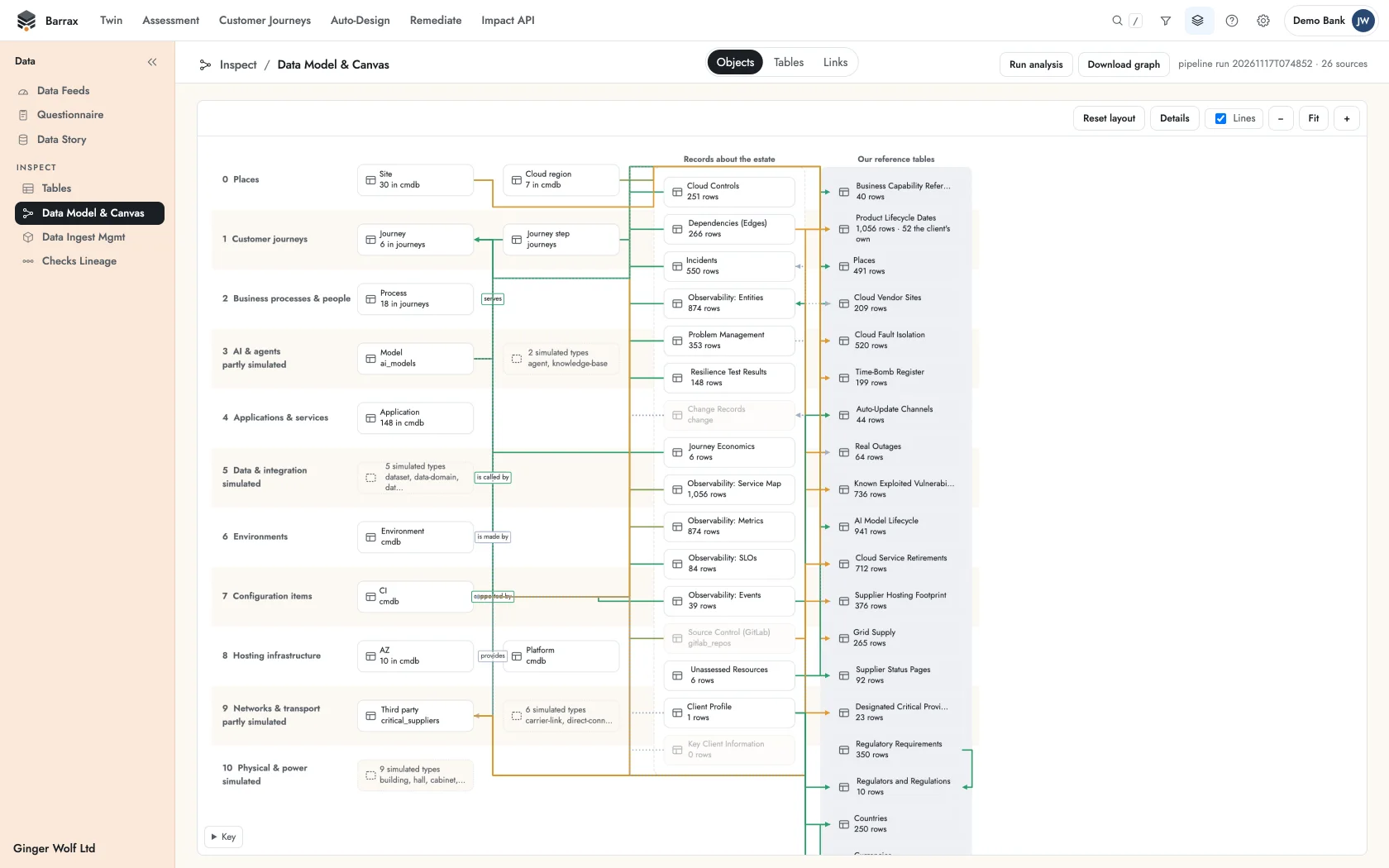
Data Feeds: a tile for each source, grouped by what it describes, with Connect a source beside them Connect a system: ServiceNow, GitLab, the AWS collector, Dynatrace and Datadog, each read with a read-only account Our reference data: product end-of-life dates, known exploited vulnerabilities, cloud retirements, supplier status pages, grid supply and more, each matched to the estate Upload a file: Barrax works out what it is from its name, or you pick the source The data model: each layer's objects, the records about the estate and the reference tables, joined by their links
Demonstration estate

02 Twin

See the whole estate, top to bottom.

The digital twin draws every layer of your estate from your own data, from customer journeys down to racks and power. Pick anything and see what it touches.
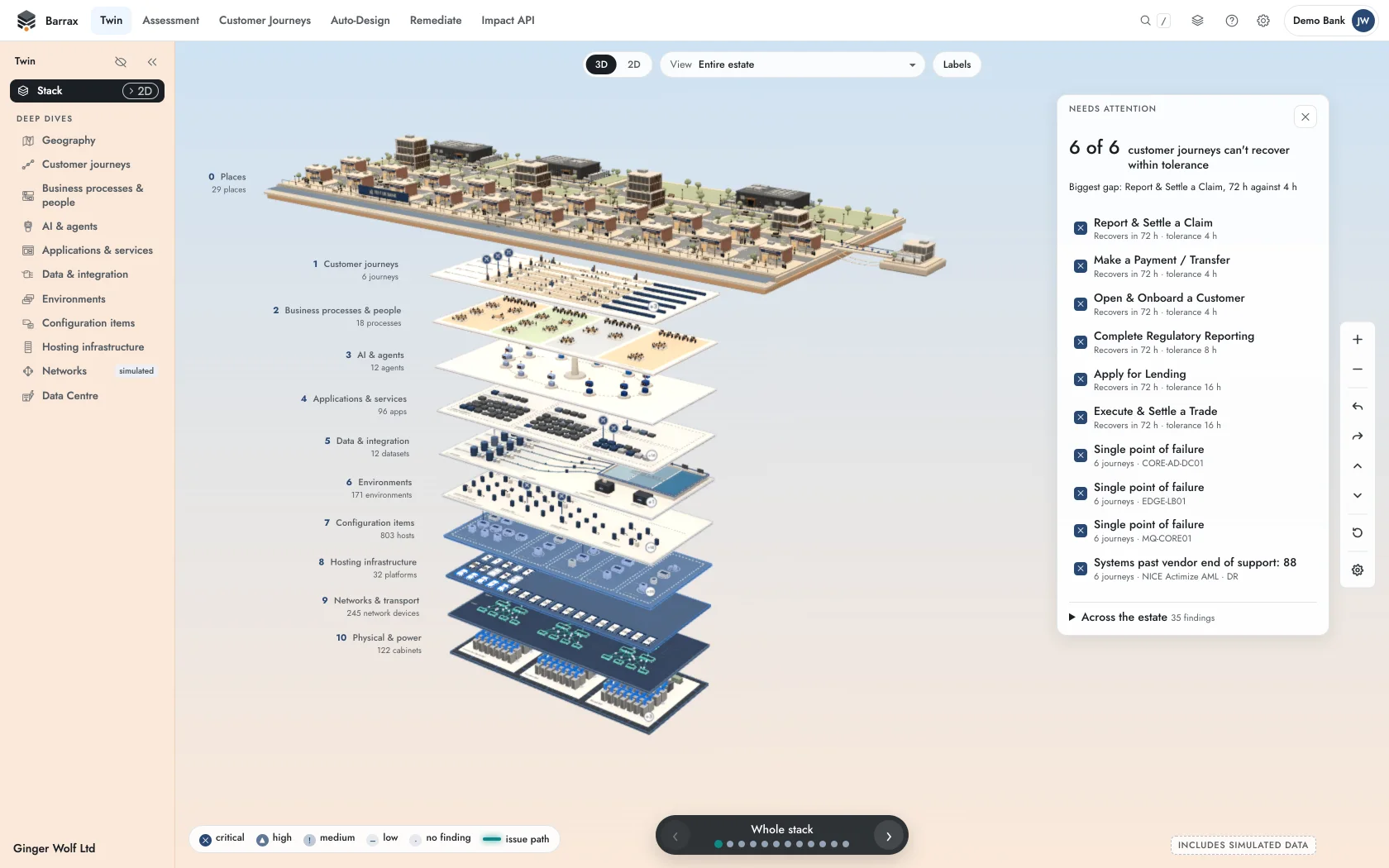
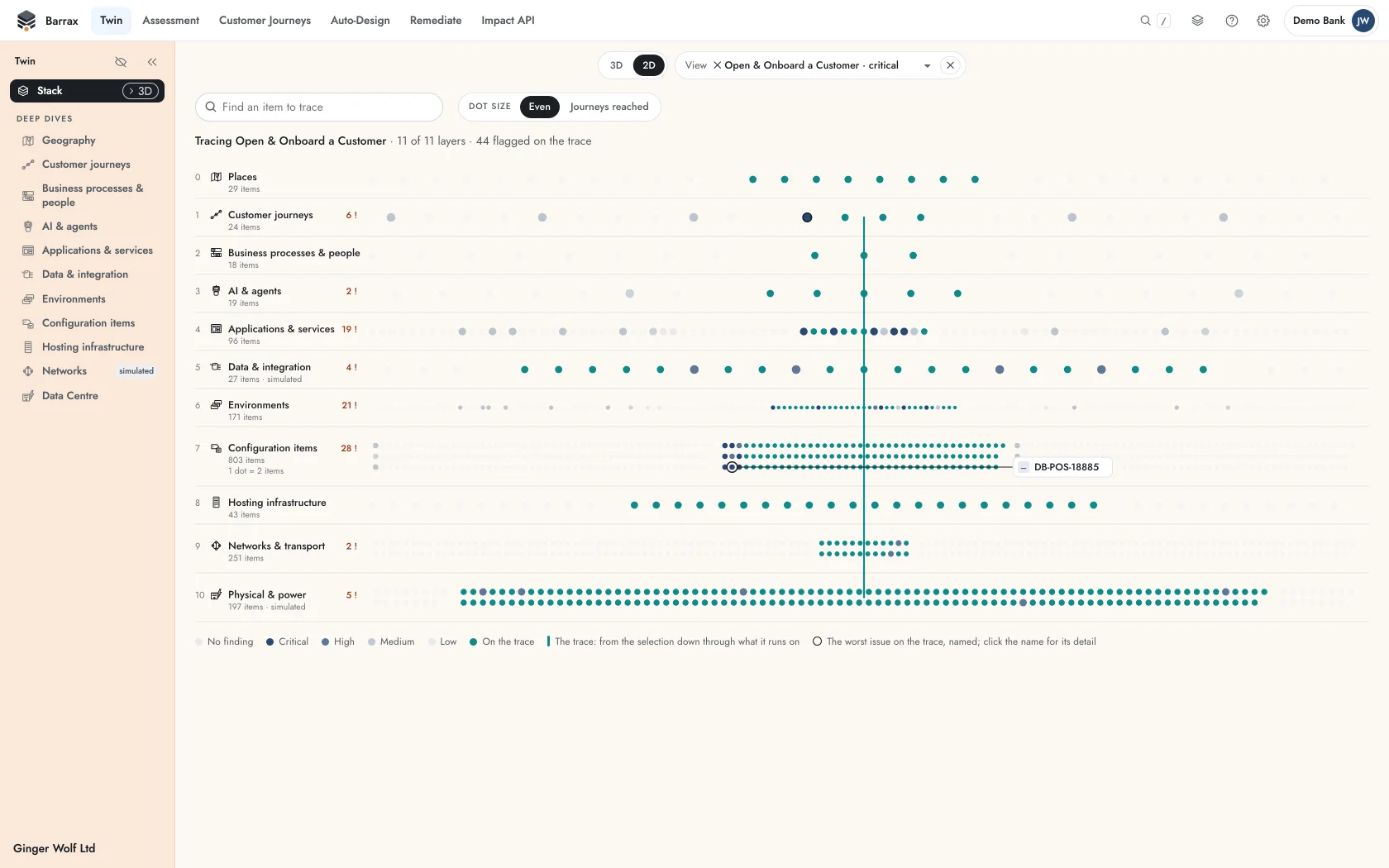
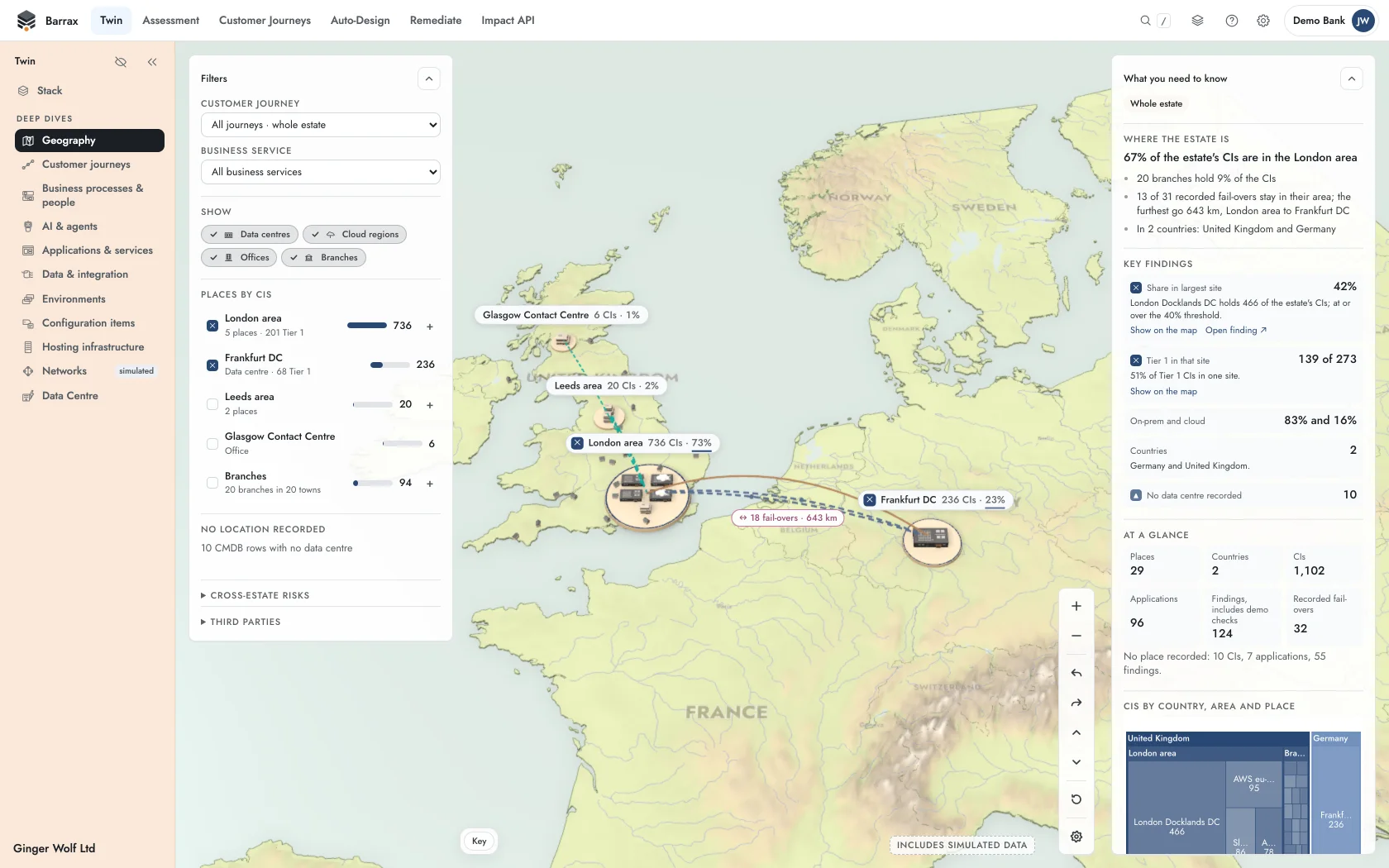
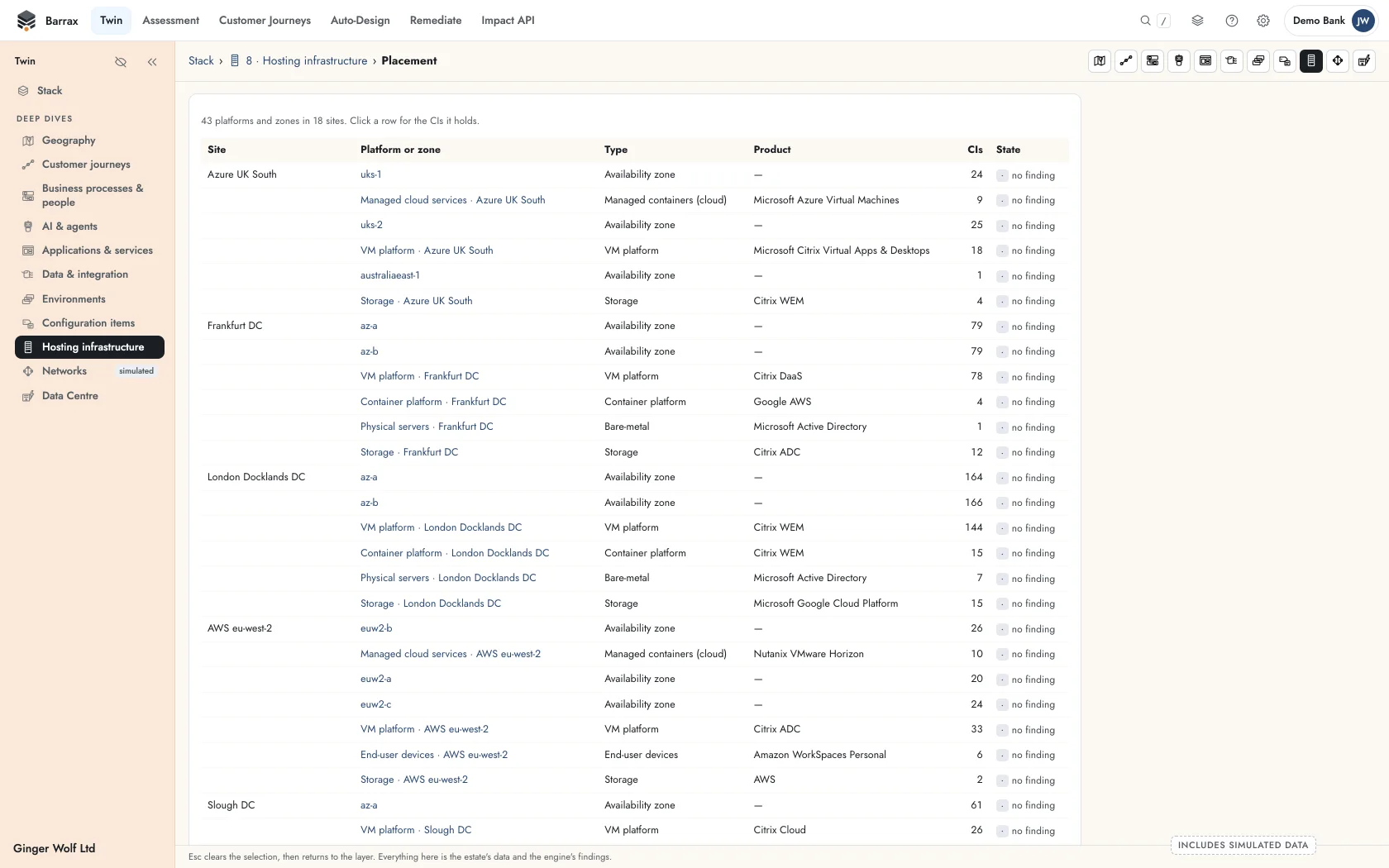
The Stack: eleven layers of the estate in 3D, with what needs attention listed beside them The Stack in 2D: every item in the estate as a dot on its layer, with one journey traced through them Geography: offices, data centres and cloud regions on the map, with the fail-overs between them A deep dive into hosting: every platform and zone by site, with its product, its CIs and its state
Demonstration estate

03 Data centre

Walk into the data centre.

Go from the estate to a site, a building and a hall, then to each cabinet. Halls and racks come from your CMDB. Power and cooling are simulated, and labelled, until a facilities feed arrives.
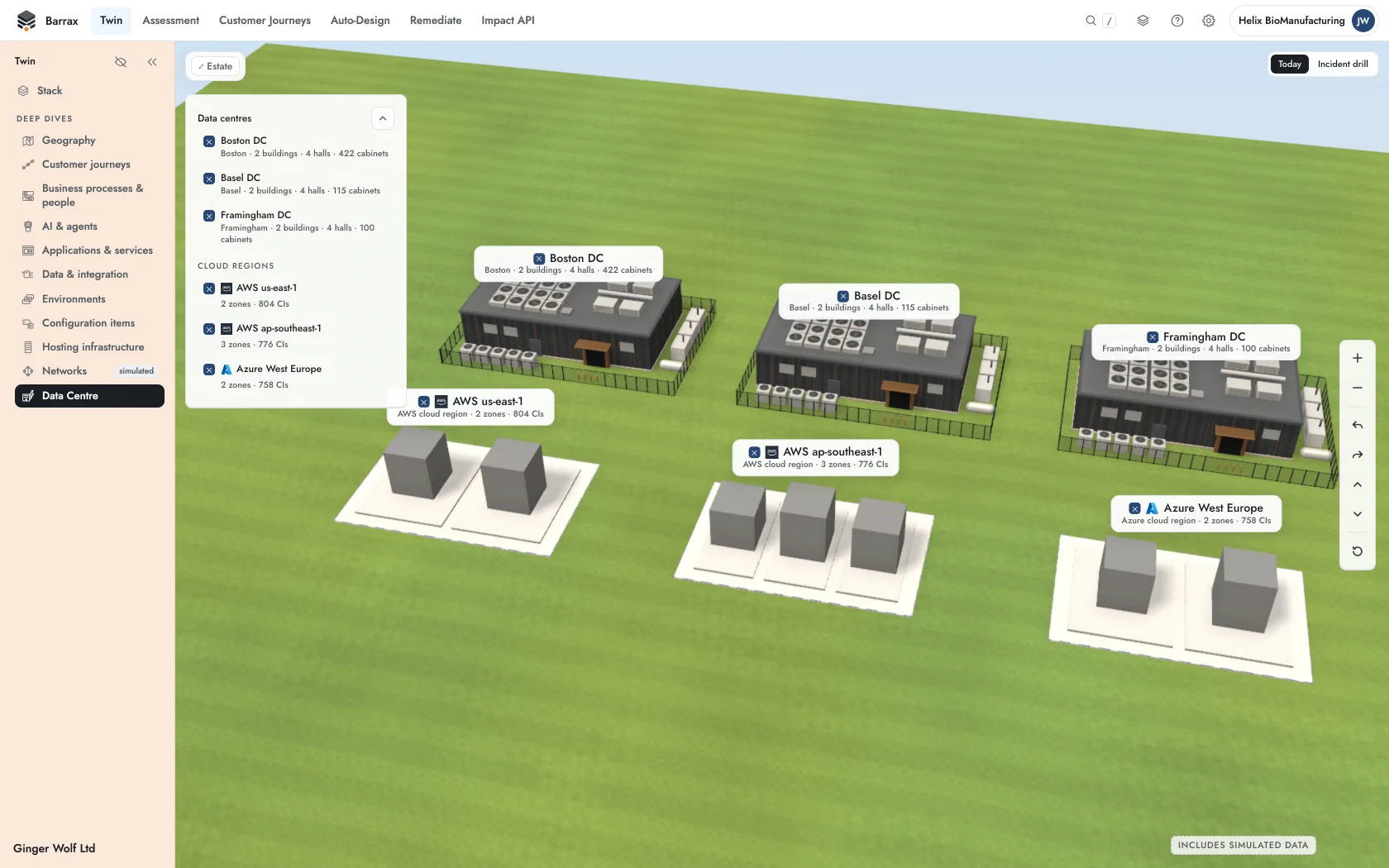
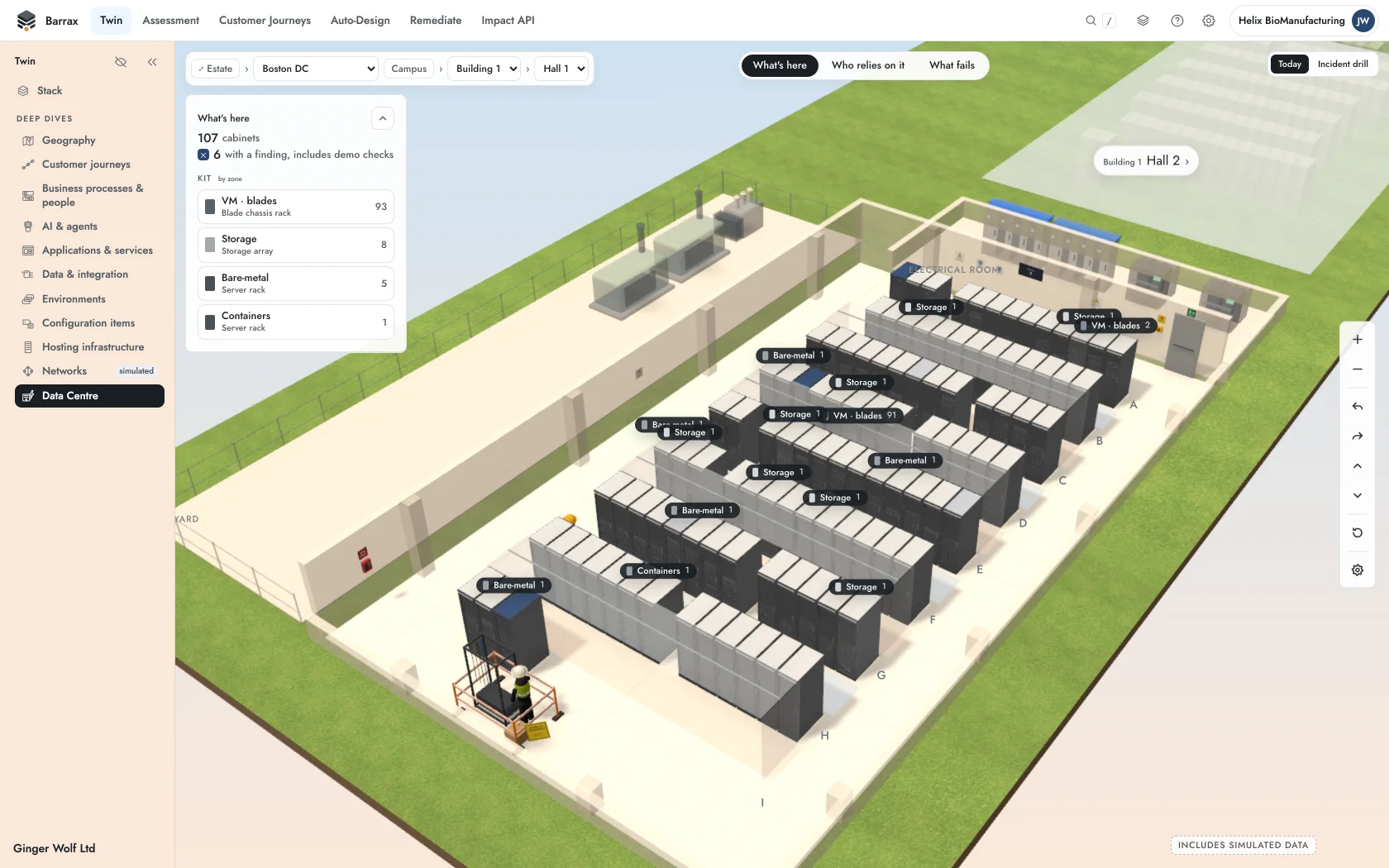
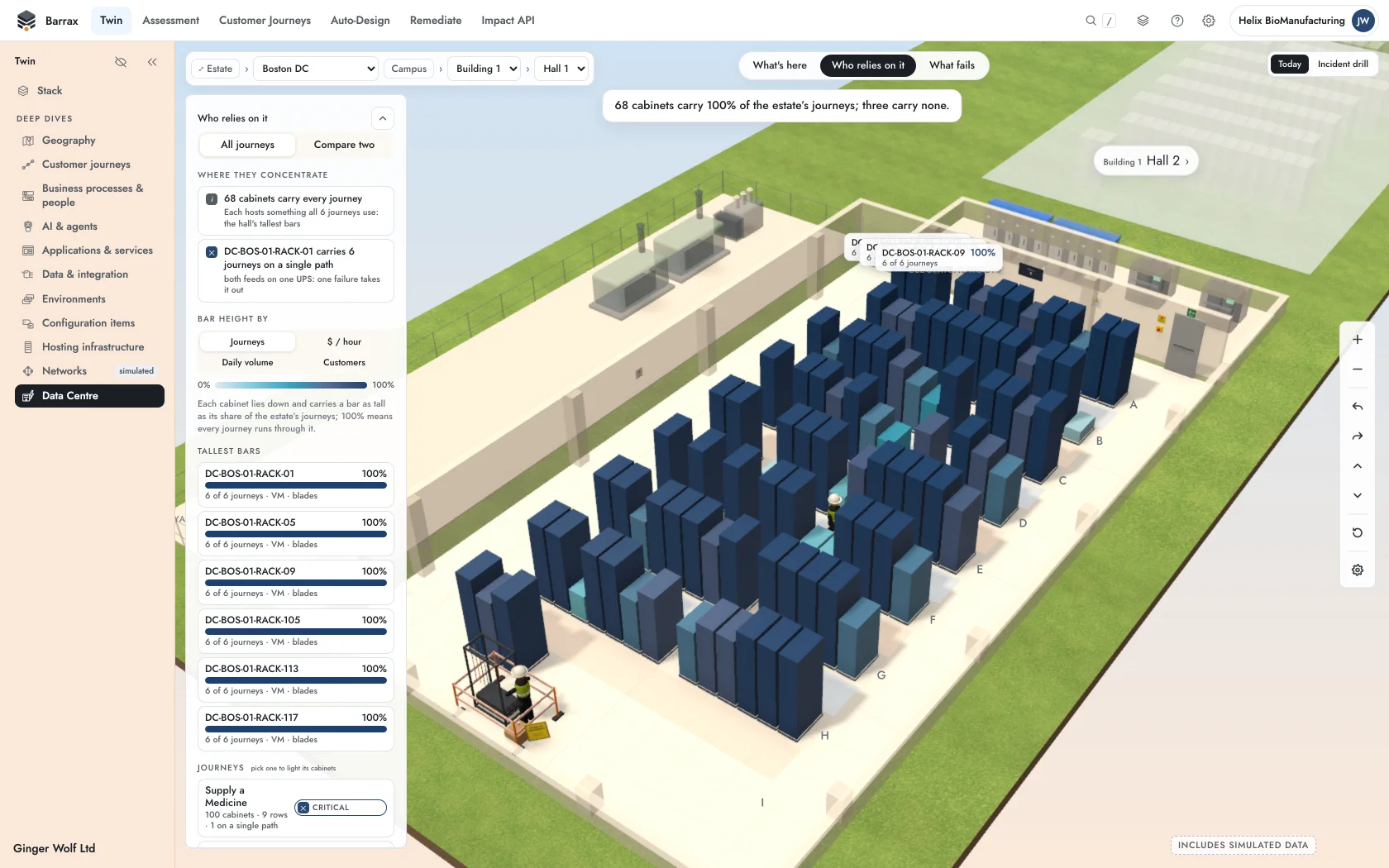
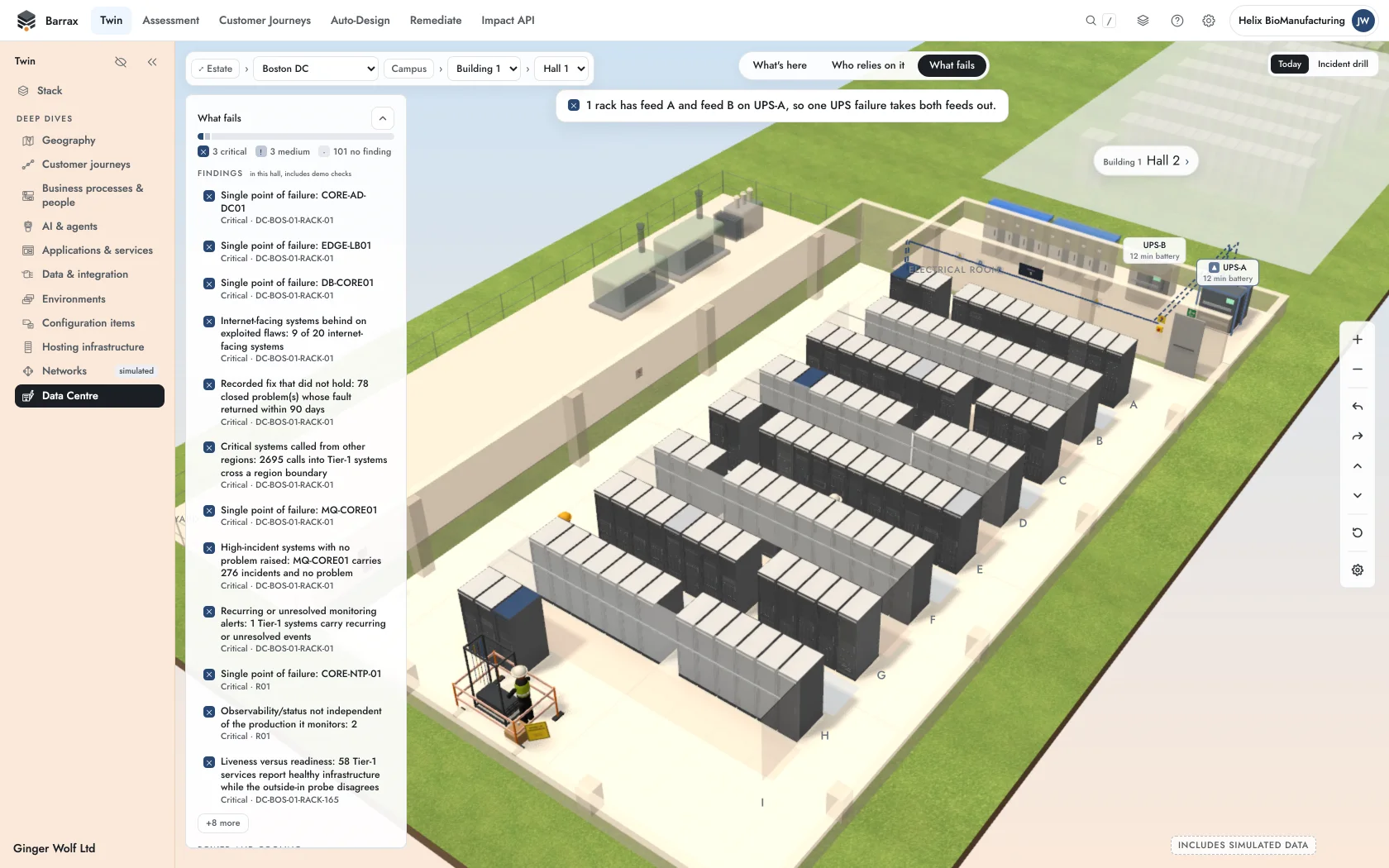
Every data centre and cloud region in the estate, with its buildings, halls and cabinets counted Inside Hall 1 at Boston: nine rows, 107 cabinets, the plant around them and an engineer at work Who relies on it: each cabinet in the hall with a bar as tall as its share of the journeys, 68 of them carrying all six What fails: the findings in the hall, and one UPS that feeds both power feeds of a rack
Demonstration estate: a pharmaceutical manufacturer

04 Journeys

Know which customer journeys are at risk, and why.

Map each journey to the processes and applications behind it, then watch it the way your customers would feel it.
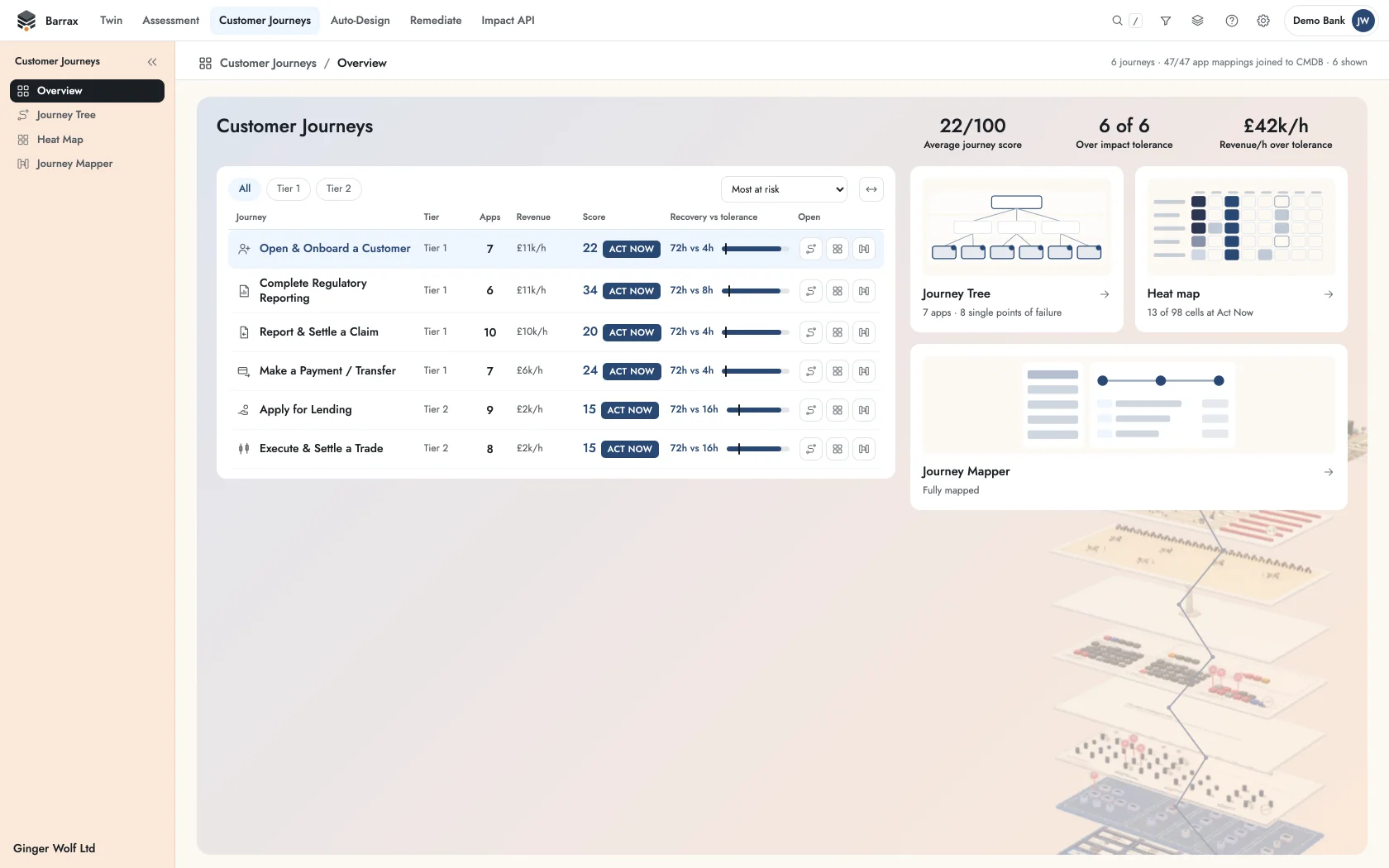
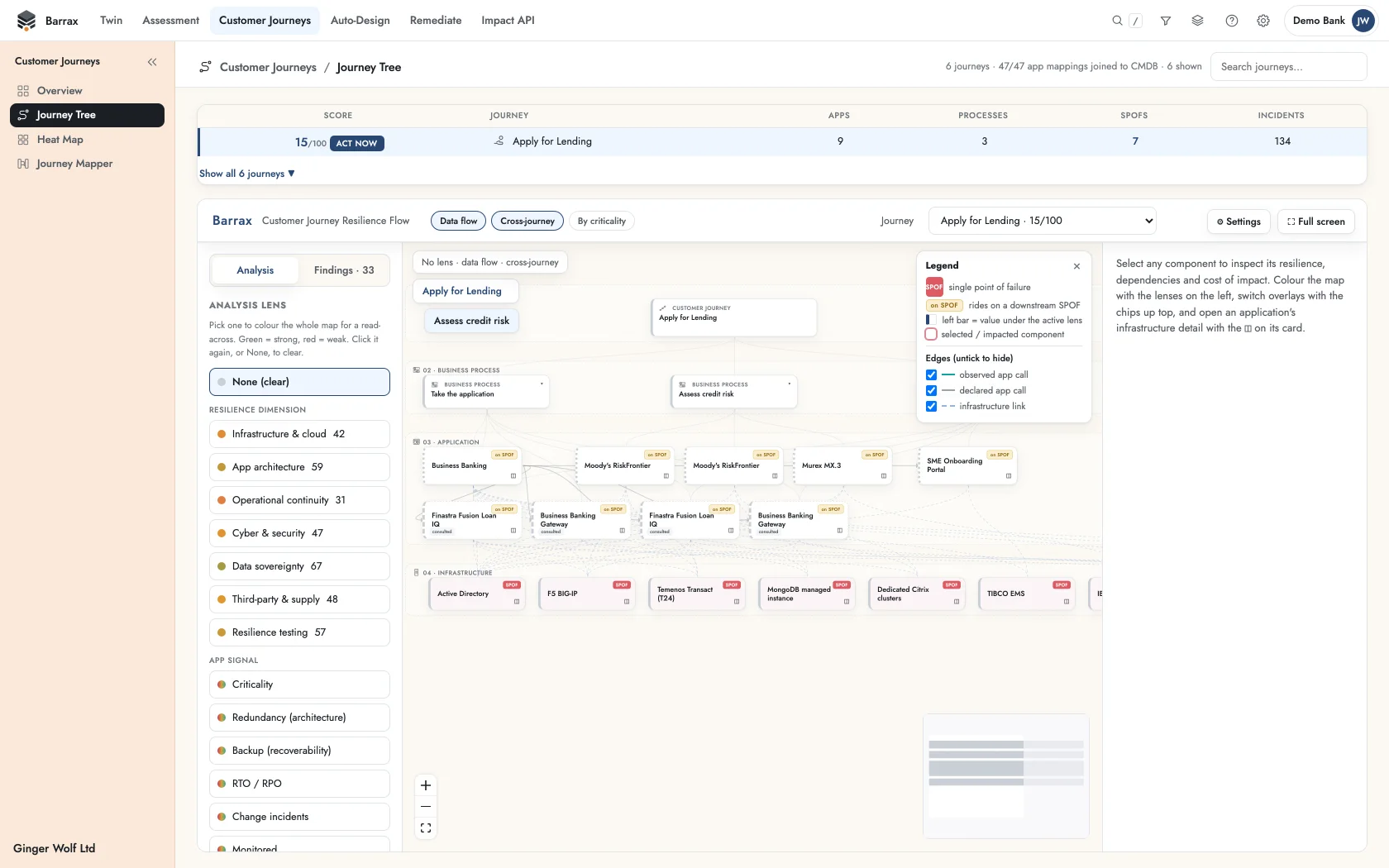
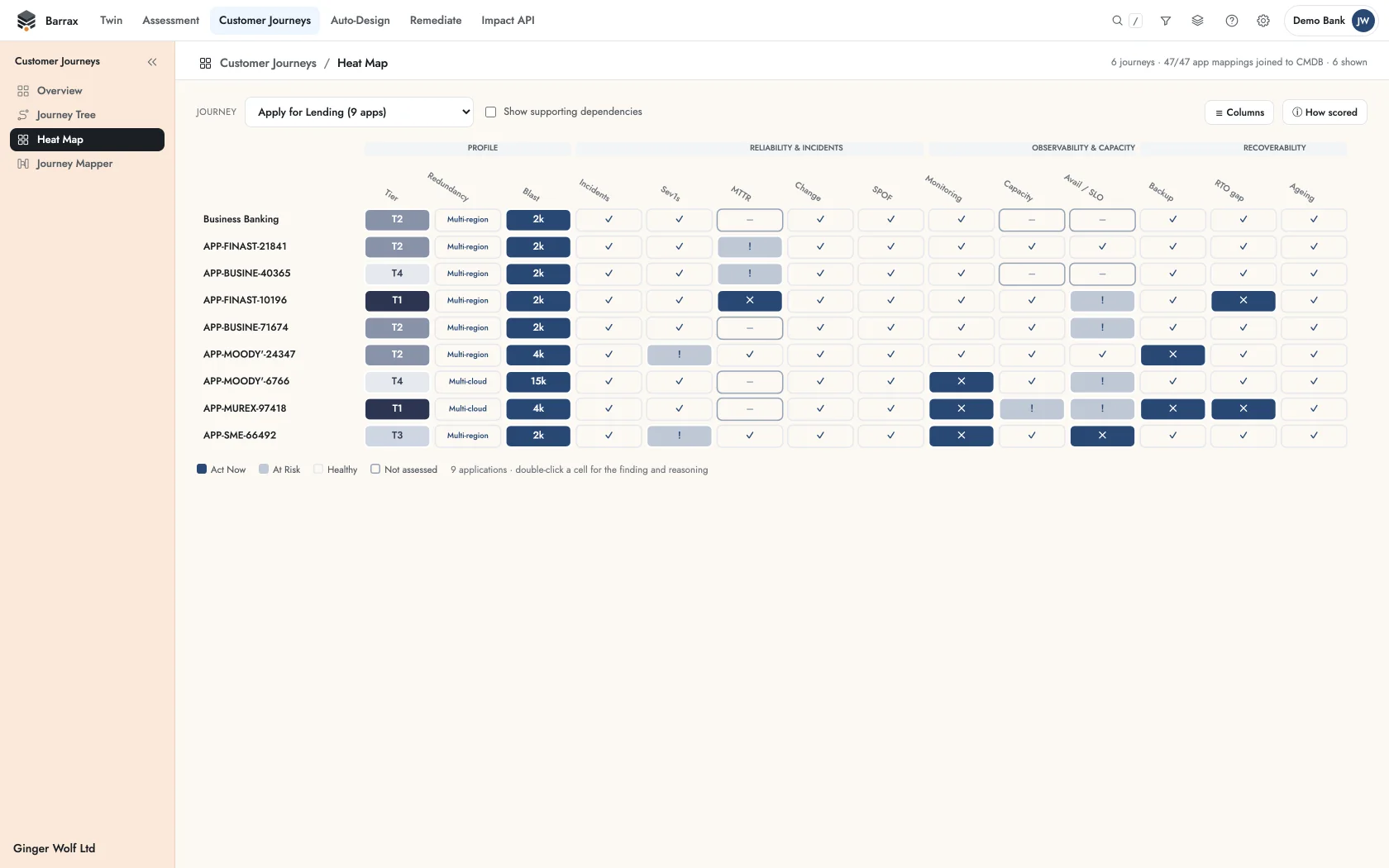
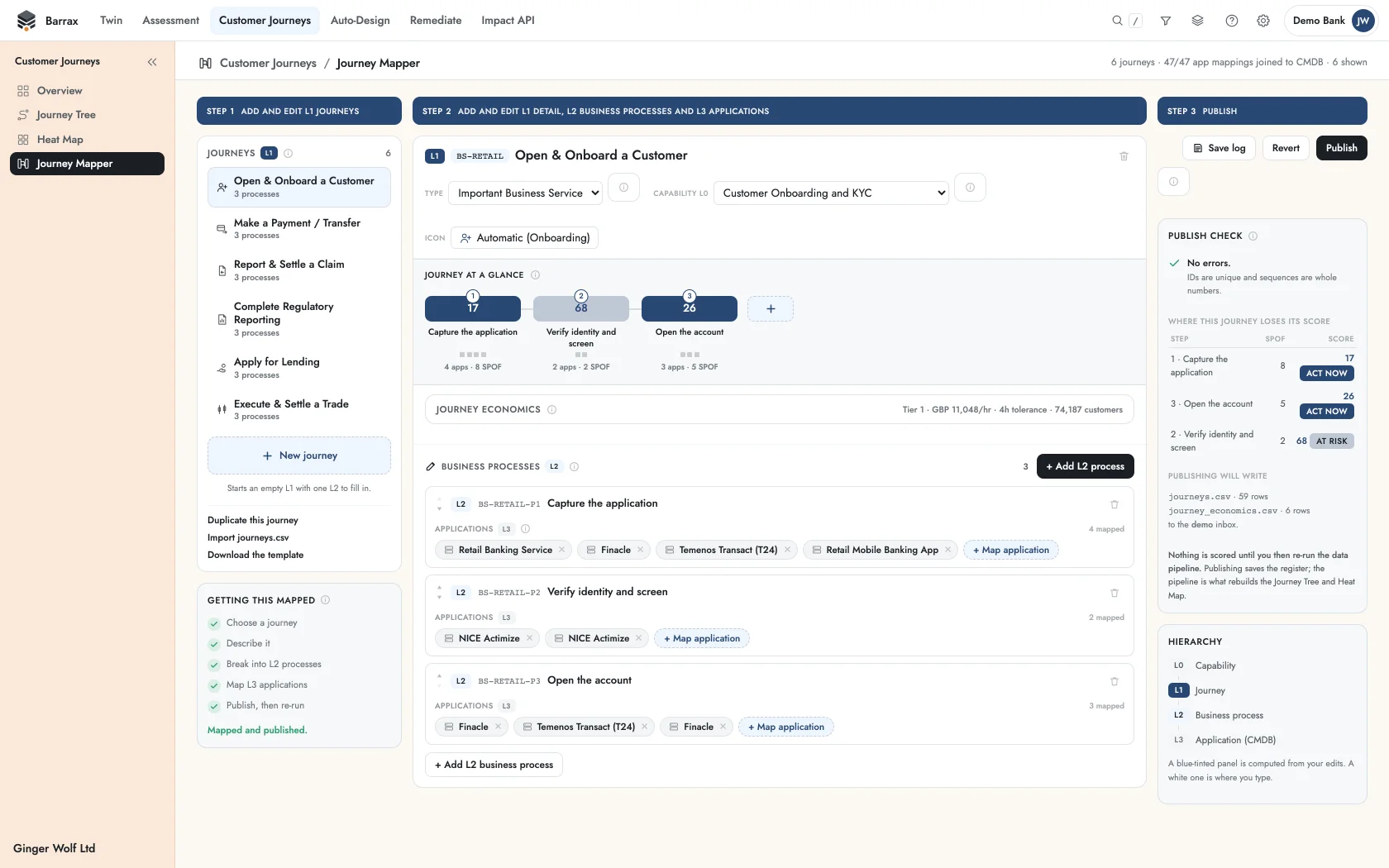
Customer journeys: six journeys, each with its score, its status and its recovery time against tolerance The journey tree: a journey traced to its processes, applications and infrastructure, with its single points of failure marked The heat map: each application in a journey against fourteen measures, from incidents to backups The Journey Mapper: a journey broken into its business processes, each mapped to the applications it uses
Demonstration estate

05 Assessment

A score you can defend, line by line.

More than 150 checks score resilience across every dimension. Every number traces to a system, a field and a threshold.
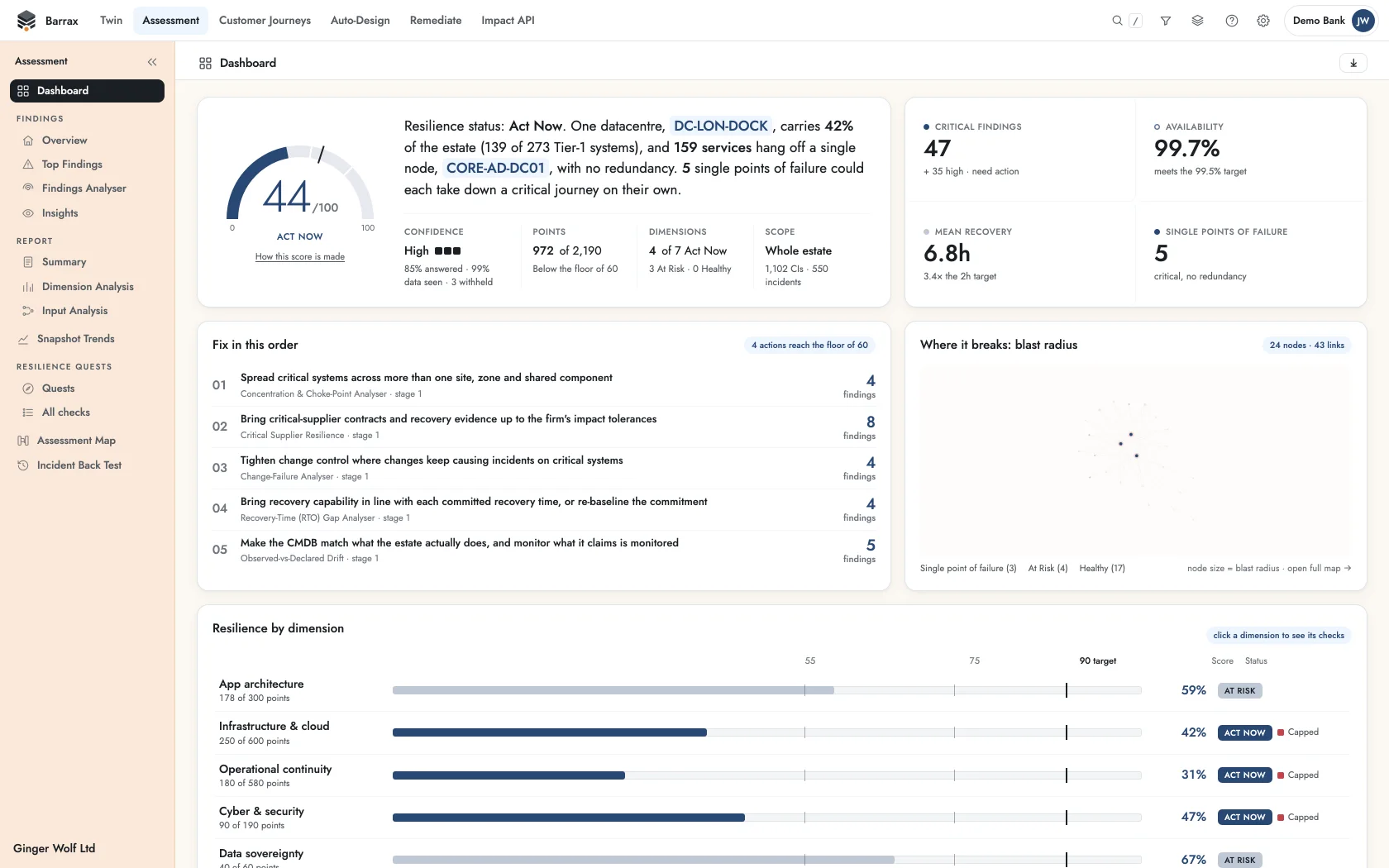
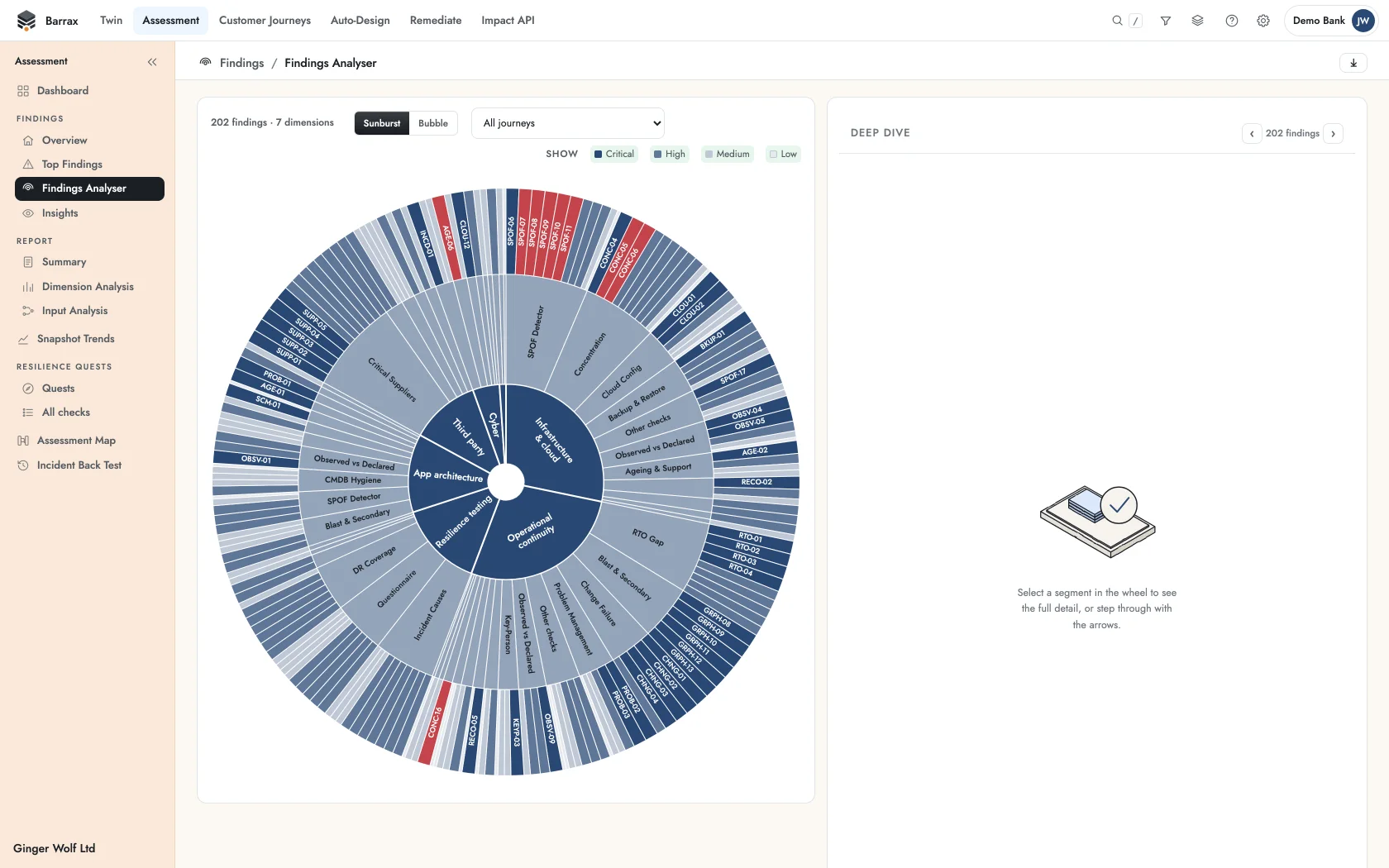
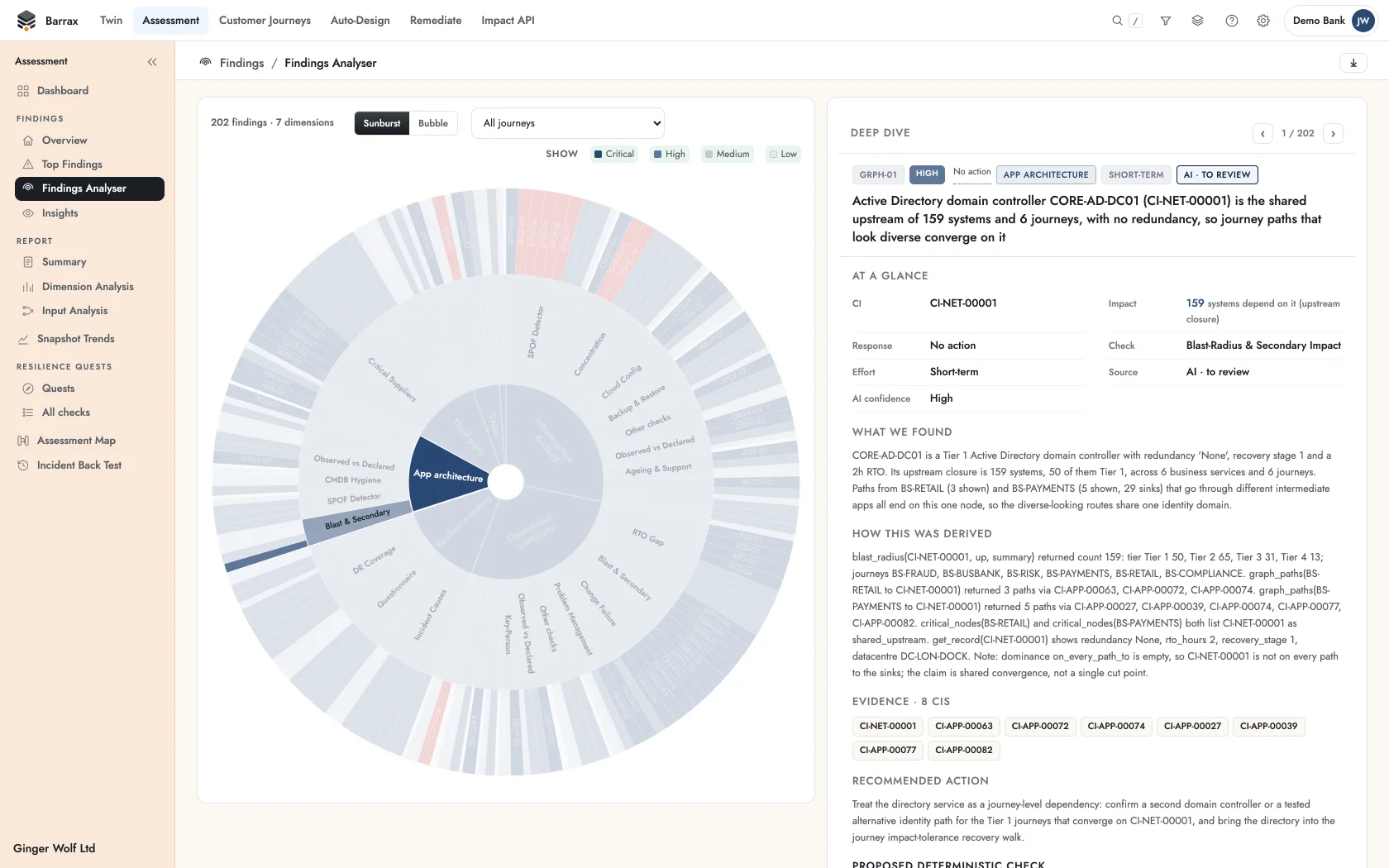
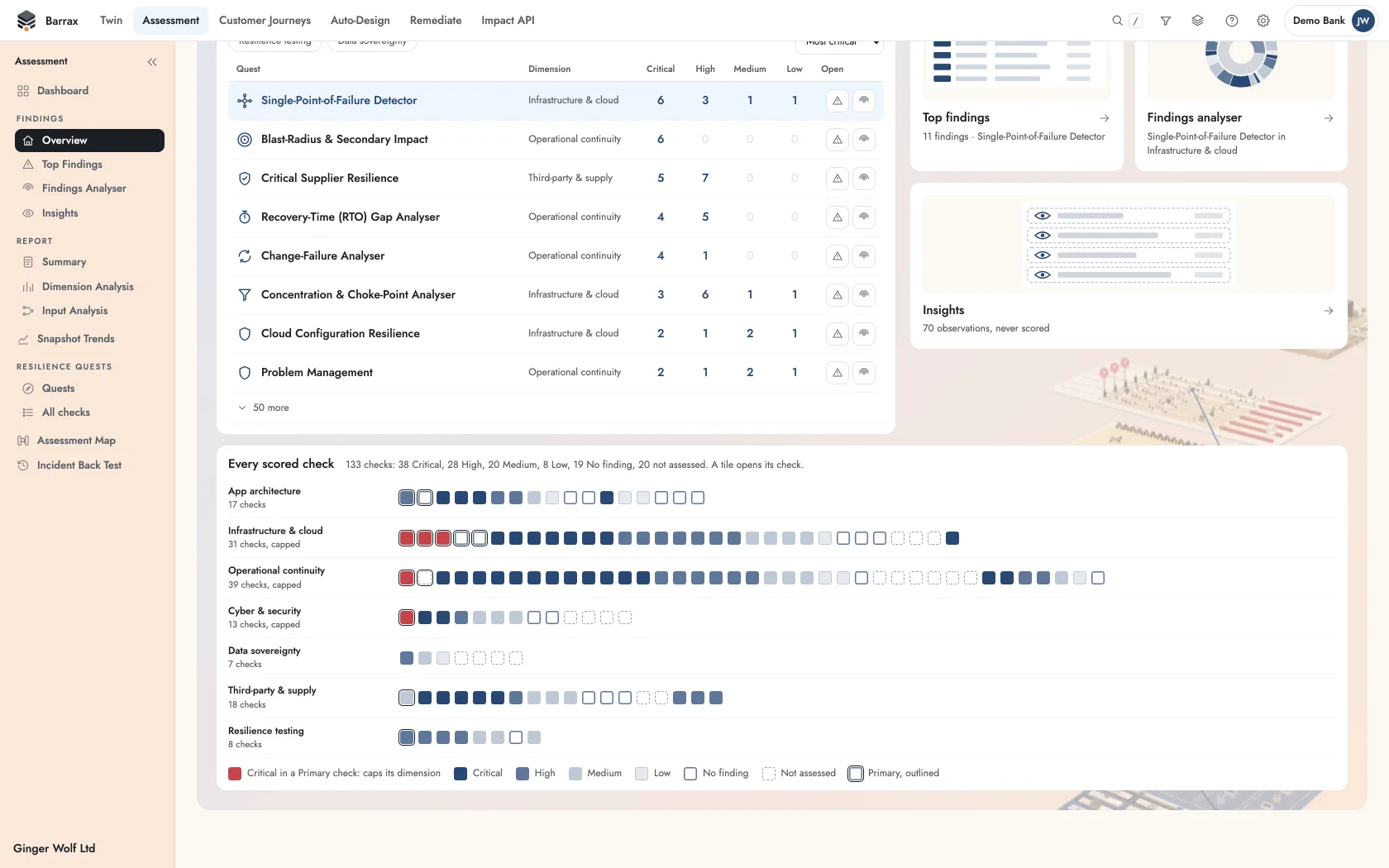
The Assessment dashboard: the score out of 100 and its status, with its confidence, the fix order and the blast radius The Findings Analyser: every finding on one wheel, by dimension and check One finding opened beside the wheel: what was found, how it was derived, the evidence and the recommended action Every scored check as a tile, row by row for each dimension
Demonstration estate

06 Design and test

Every system mapped. Fail anything, safely.

Every journey, application and host is mapped for you, ready for an incident, a design review or a build. Then take out a site in the model and see what breaks, before it happens for real.
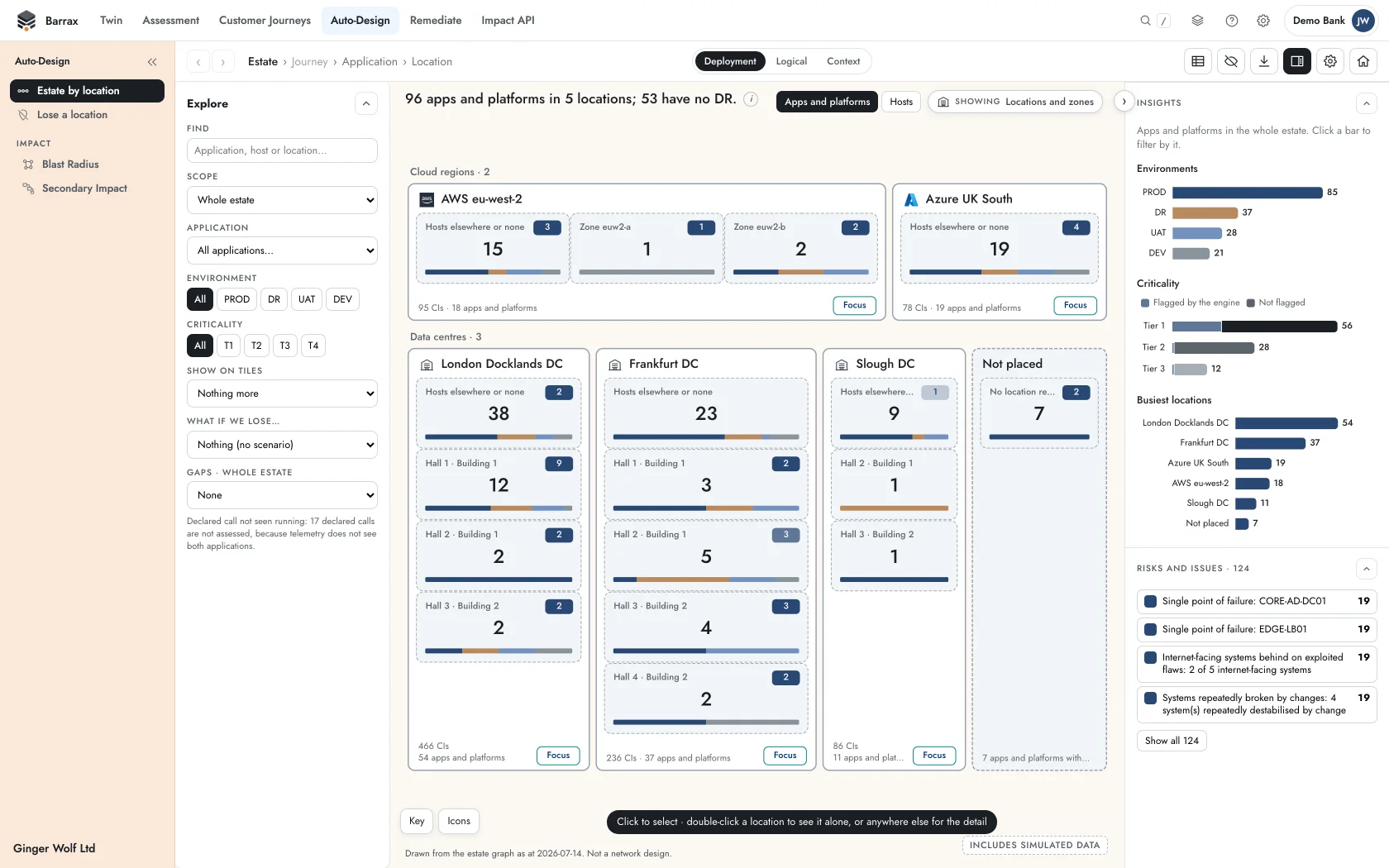
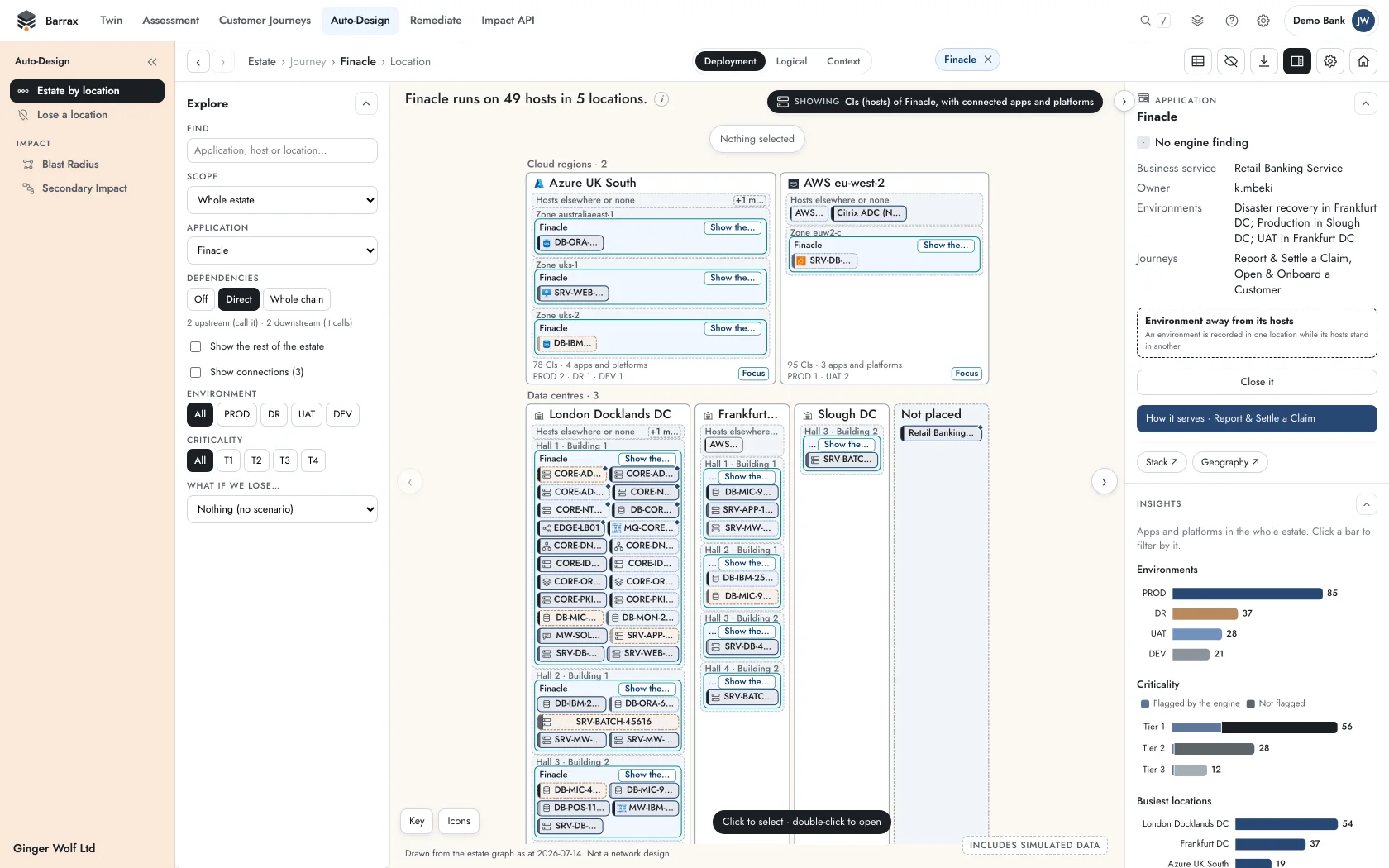
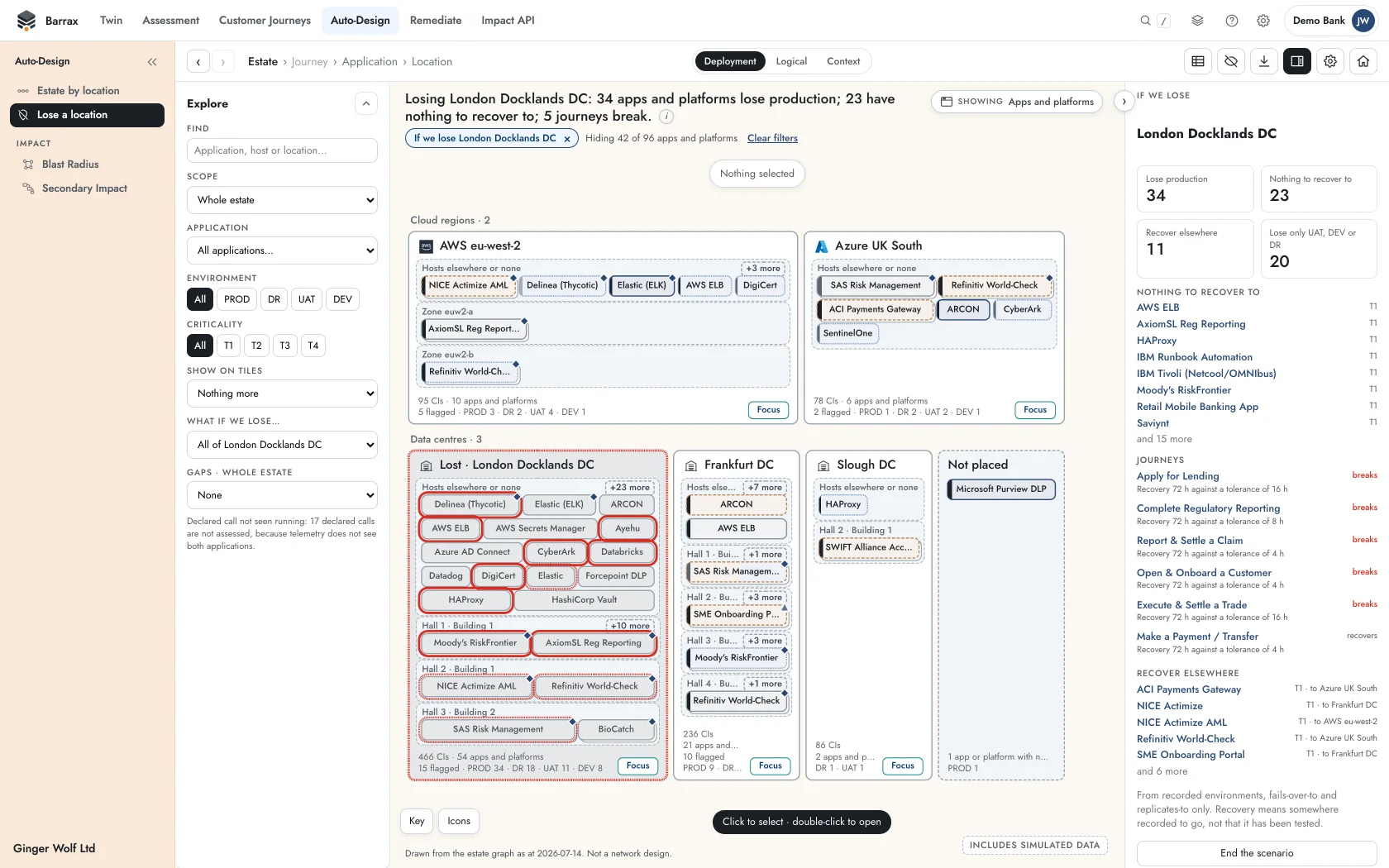
Auto-Design: applications and platforms counted by cloud region, data centre and hall Finacle mapped: its 49 hosts across two cloud regions and three data centres, hall by hall, with what it calls Lose a location: London Docklands data centre taken out, with the applications that lose production and the journeys that break
Demonstration estate

07 Remediate

Agent squads do the legwork. You stay in charge.

Each squad takes one kind of fix, from backups to certificates. Agents draft the change, you approve it, and the engine checks the result.
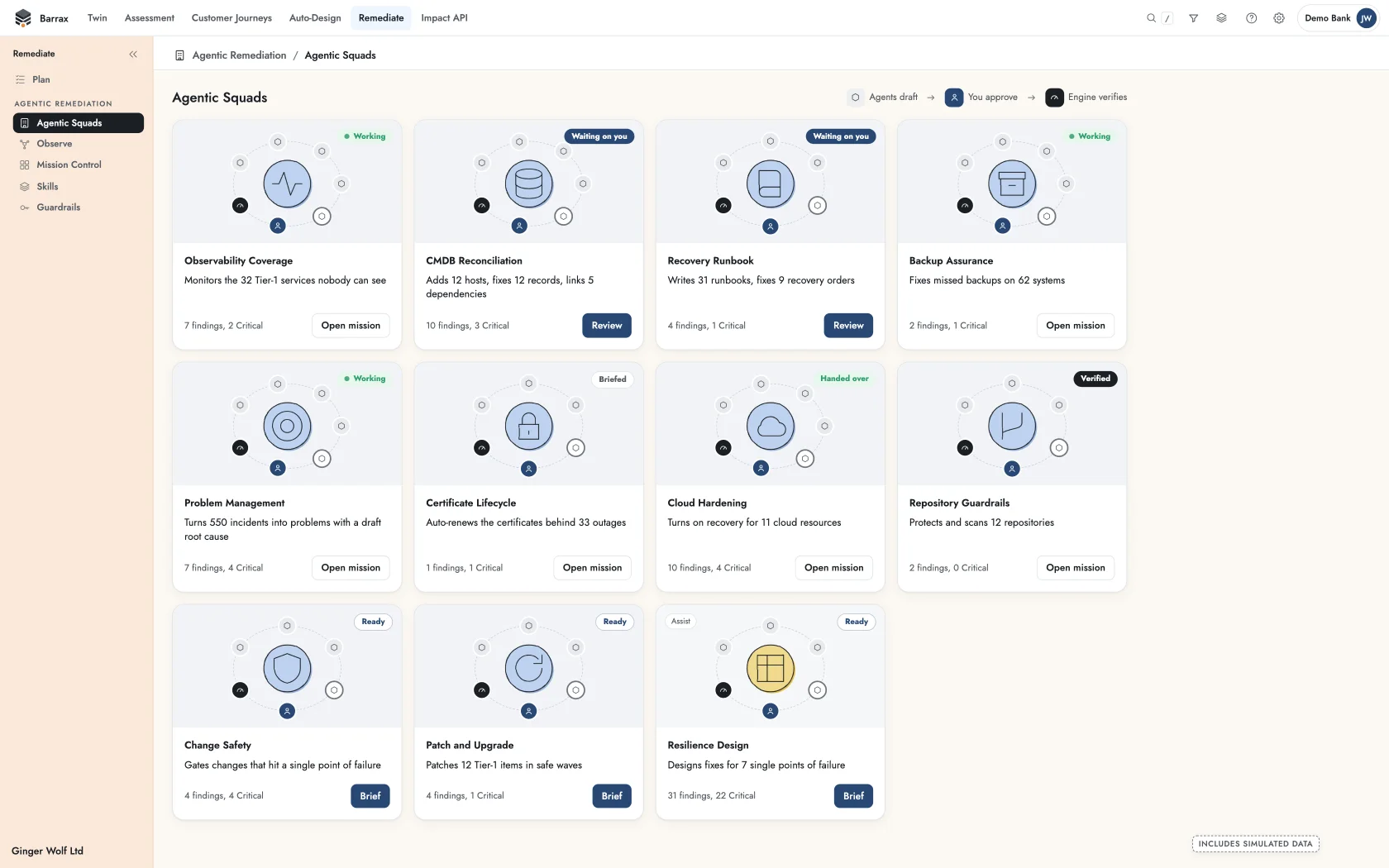
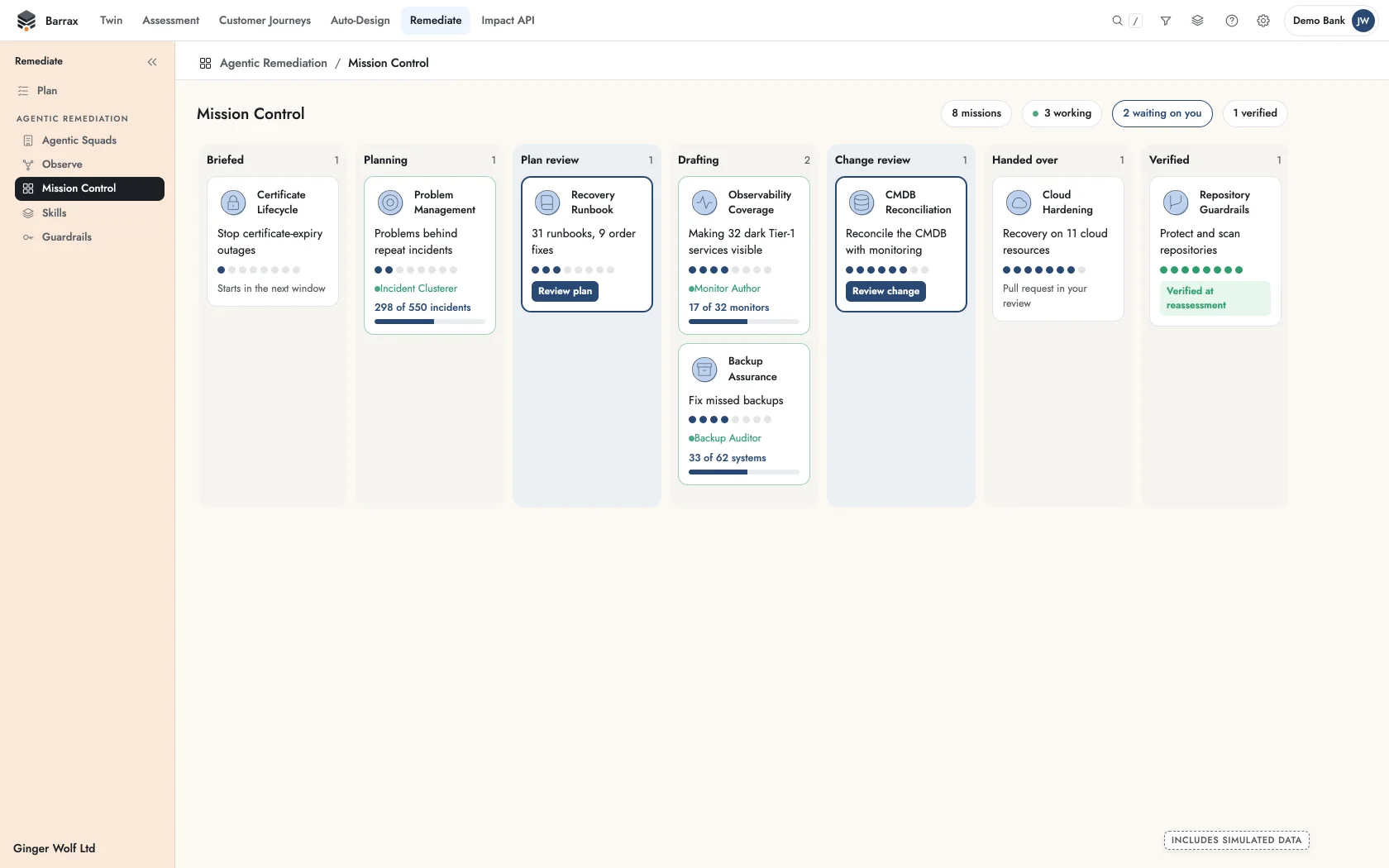
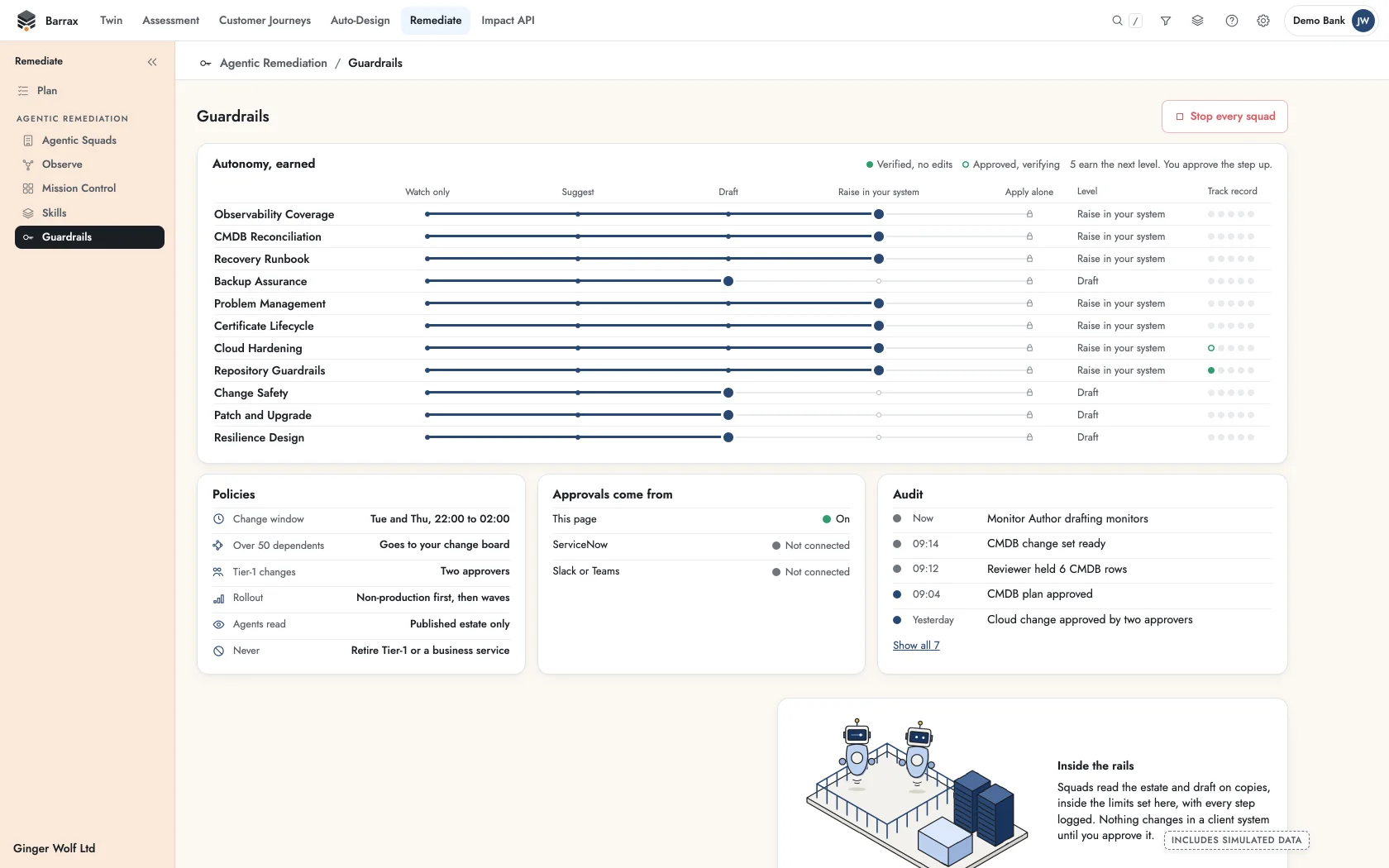
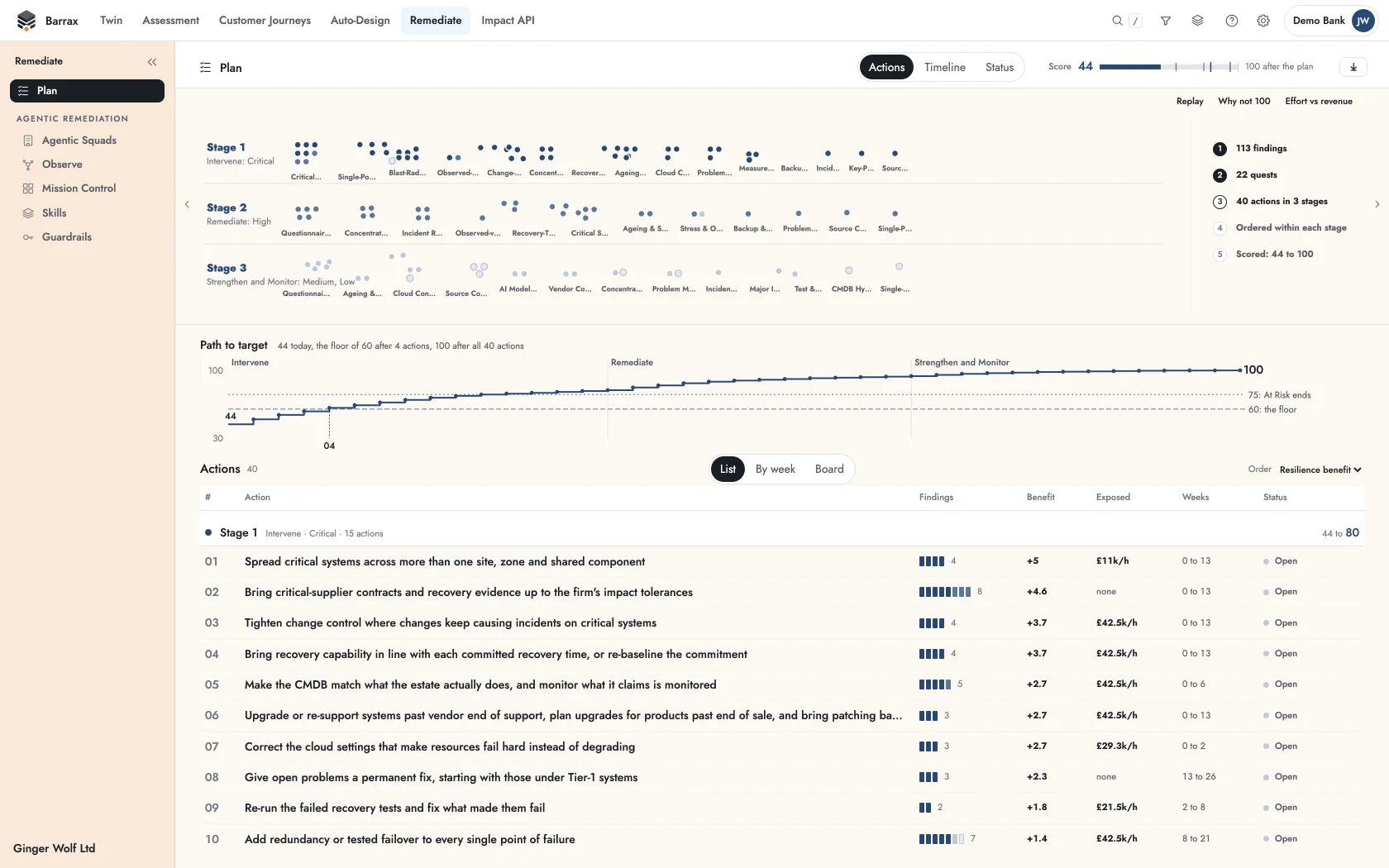
Agentic Squads: eleven squads, each with its emblem, what it is working on and whether it is waiting on you Mission Control: each squad's mission, from briefed through review to handed over Guardrails: each squad's level of autonomy, the policies it works under and the audit of what it did The Plan: the path from today's score to the target, then every action in order
Demonstration estate

08 Impact API

Check every change before it ships.

Your ITSM platform sends each change to the Impact API. Barrax sends back a rating, as planned and if it goes wrong, with a briefing that shows the impact in four dimensions.
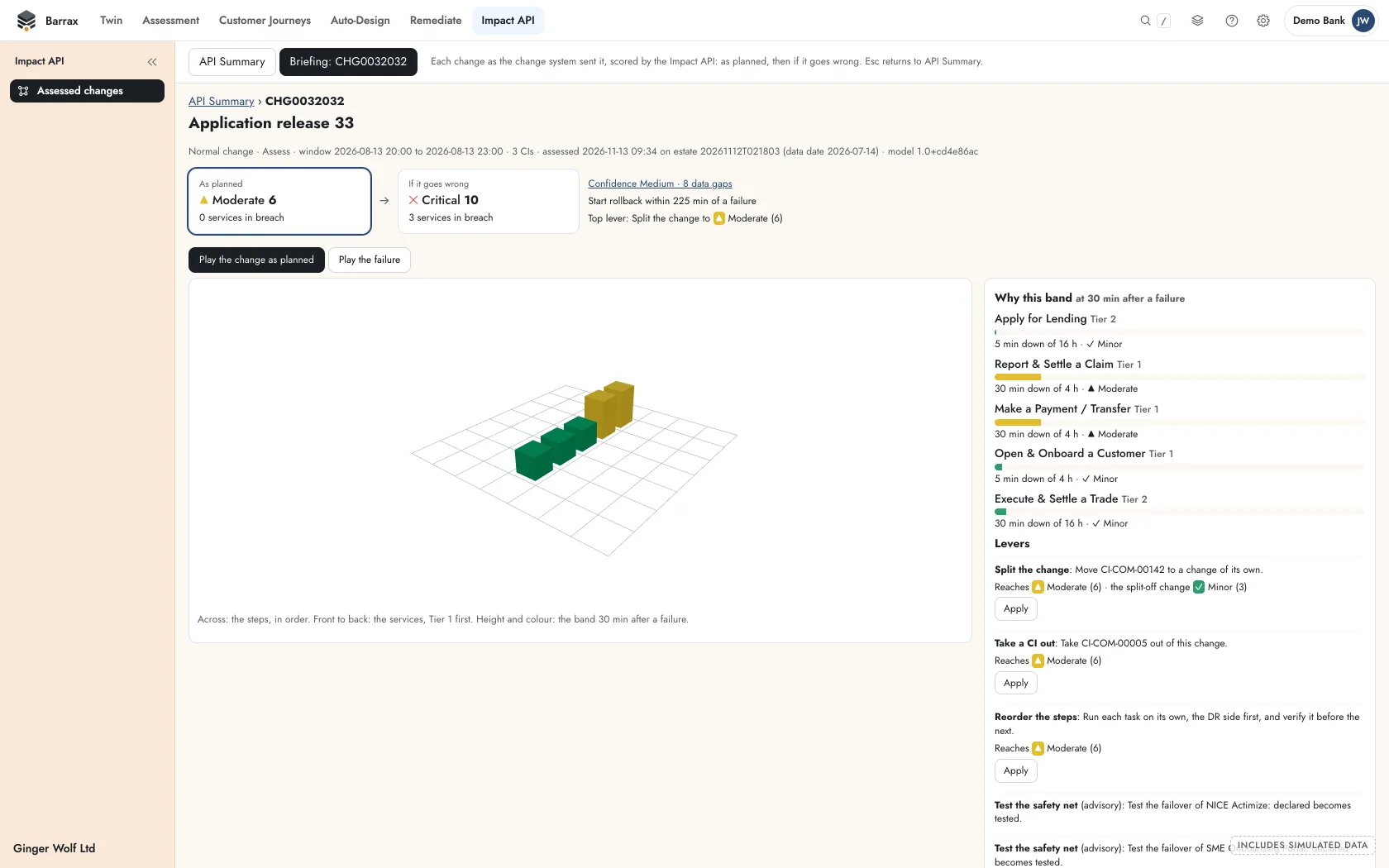
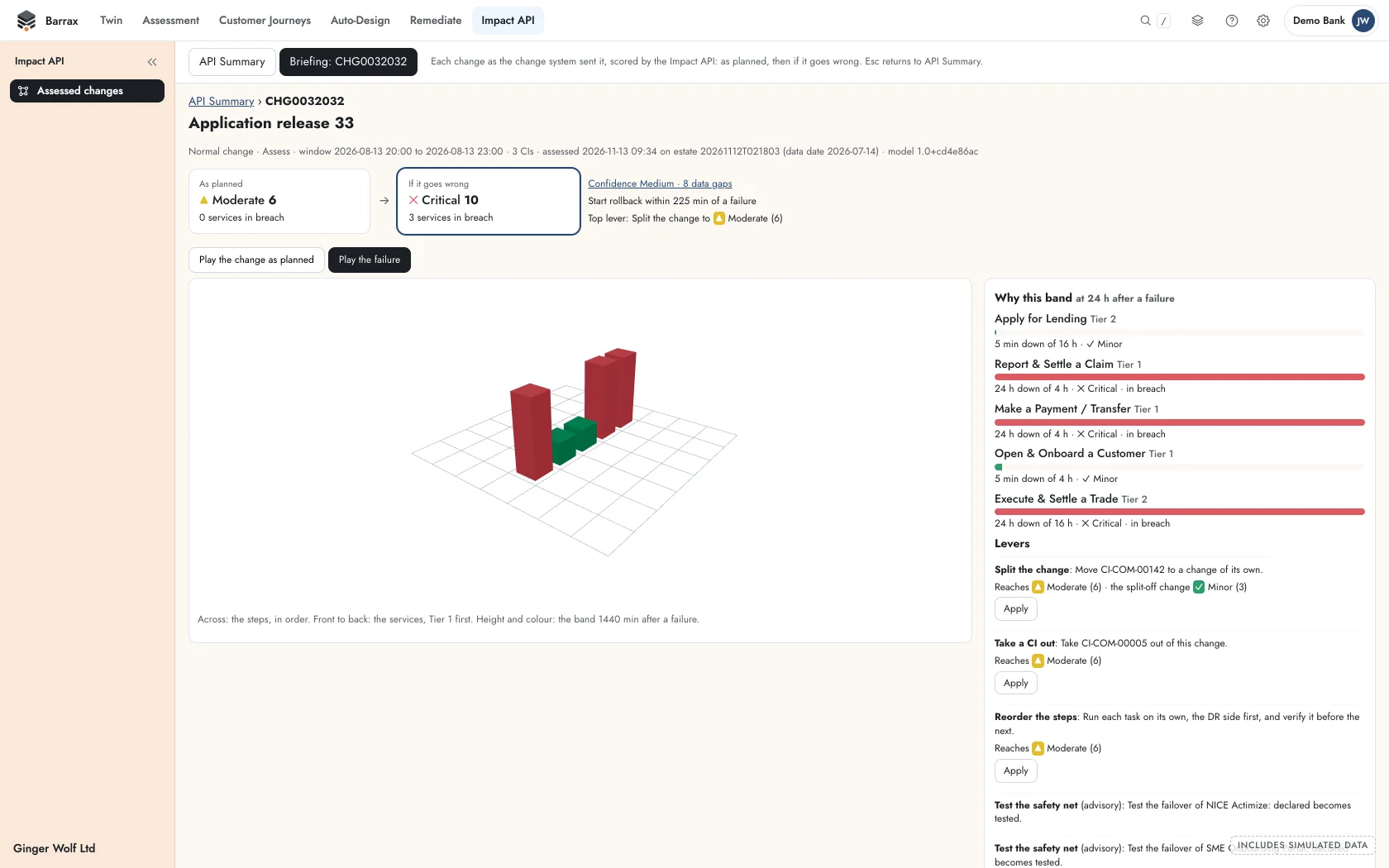
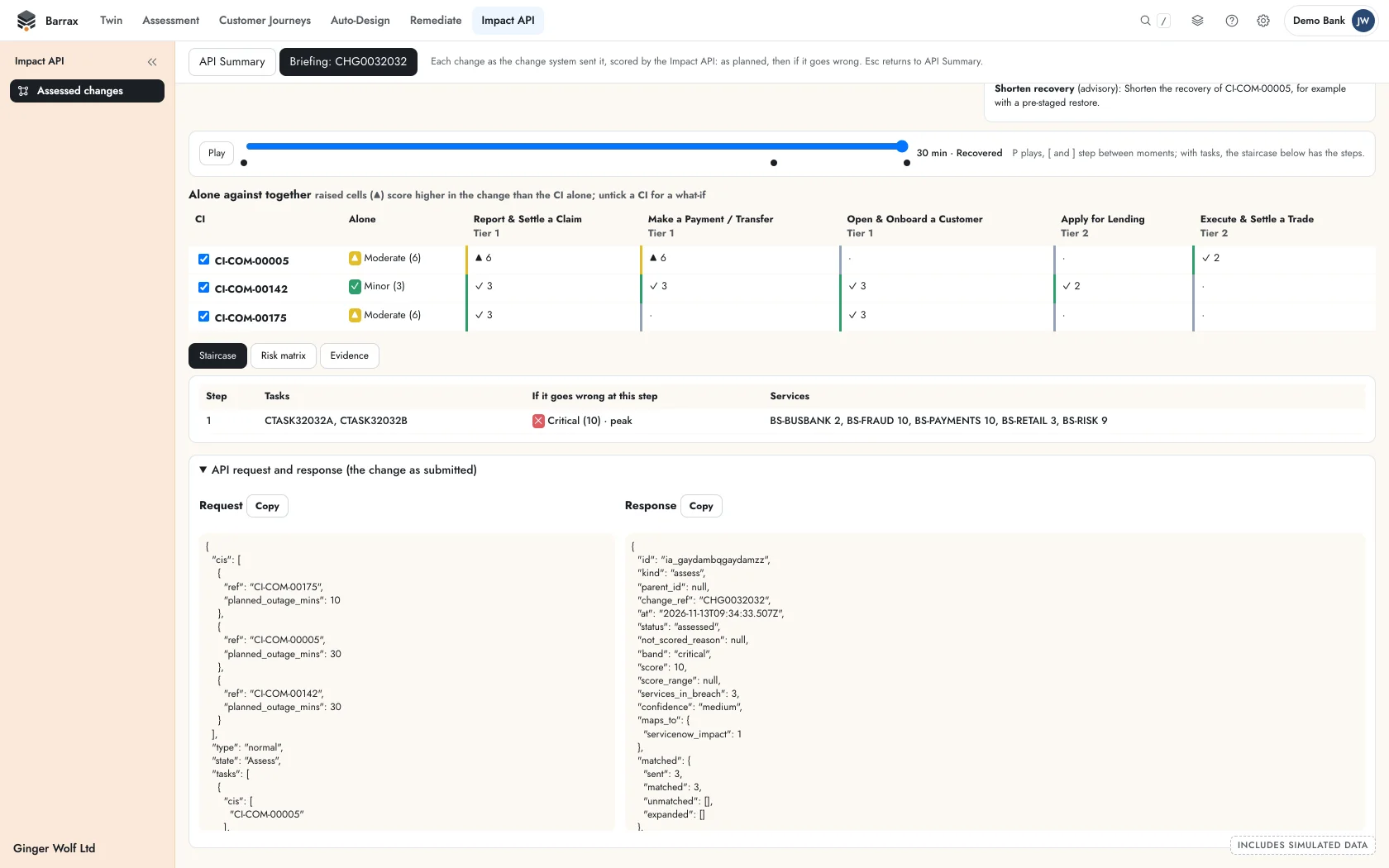
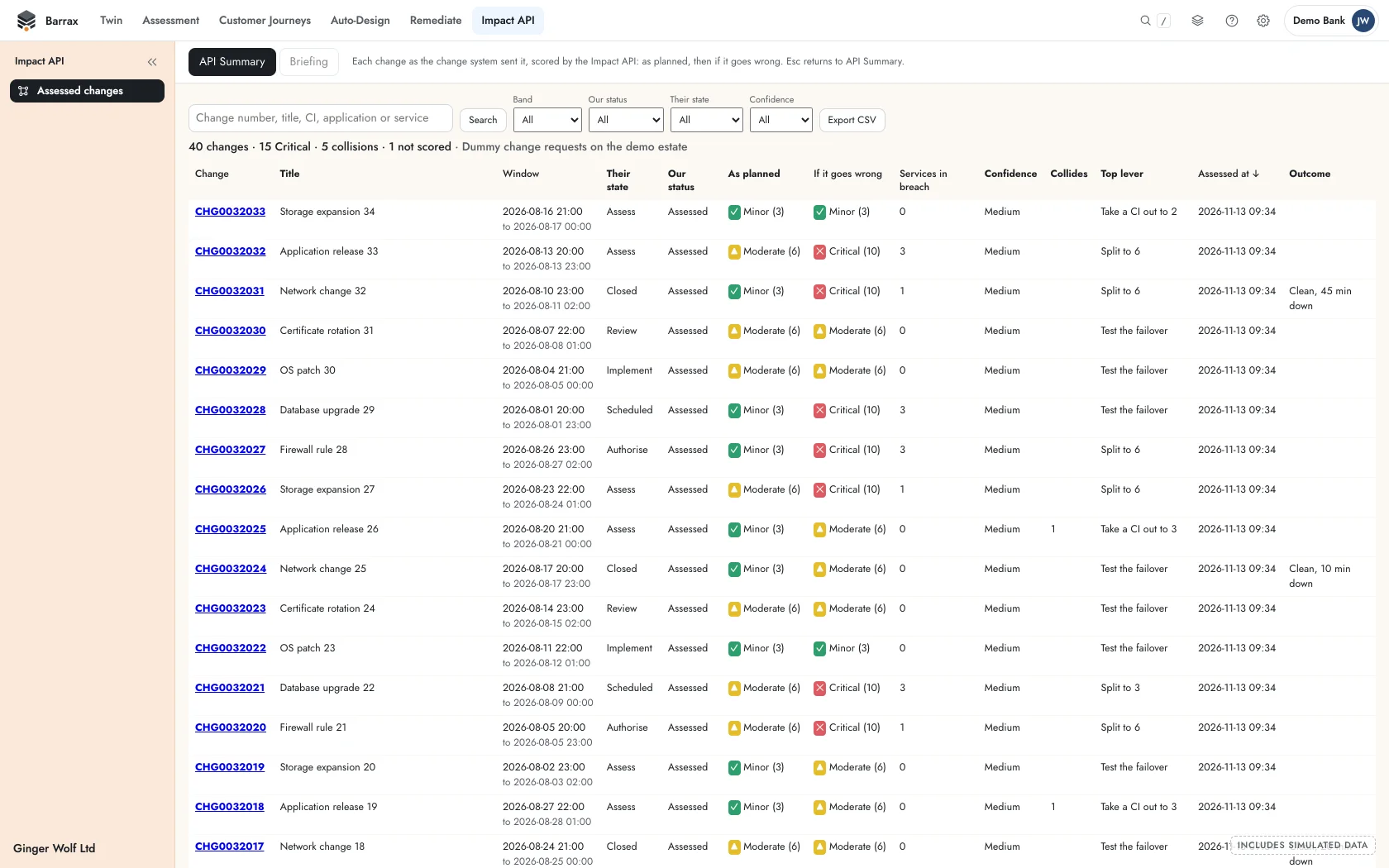
The briefing for one change: rated Moderate as planned and Critical if it goes wrong, with the impact view and the levers The impact view playing the failure: steps across, services front to back, and the band rising over time The API request from the change system, and the response Barrax sends back Every assessed change in one table, with its band as planned and if it goes wrong
Demonstration estate, with example change requests

AI, as an adviser

AI explores and explains. It never changes a score.

Every audited number comes from the rules. The AI is off by default and runs with your own key, and a person applies anything it proposes.

  • ExplorerLooks past the fixed checks for risk they might have missed.
  • ValidatorChecks each finding against the data, and says it in plain English.
  • AssistantAnswers questions about the estate, and shows you where to look.

Early access

See your own estate this way.

It runs inside your own boundary, and the same inputs always give the same answer. We are opening Barrax to a small group of early users. Tell us who you are, or write to info@barrax.io.

Request early access